
How to Rearrange, Disable, and Delete iPhone Home Screen Pages
How to Rearrange, Disable, and Delete iPhone Home Screen PagesTuesday November 28, 2023 6:47 AM PST by Tim HardwickIn iOS, Apple lets you disable individual Home Screen pages on your iPhone. It's also possible to rearrange the ord

Table of Contents
- 1. How to Rearrange Home Screen Pages
- 2. How to Disable or Delete Home Screen Pages
- 3. Popular Stories
- 4. Crackgate? iPhone Duo Owners Report Screens Breaking Along the Hinge
- 5. Apple Responds to iPhone Duo Display Cracking Reports
- 6. iPhone Duo Fails JerryRigEverything's Dusty Durability Test
- 7. Next Article
How to Rearrange, Disable, and Delete iPhone Home Screen Pages
In iOS, Apple lets you disable individual Home Screen pages on your iPhone. It's also possible to rearrange the order of your Home Screen pages, and delete pages outright rather than merely disable them. Here's how it works.

How to Rearrange Home Screen Pages
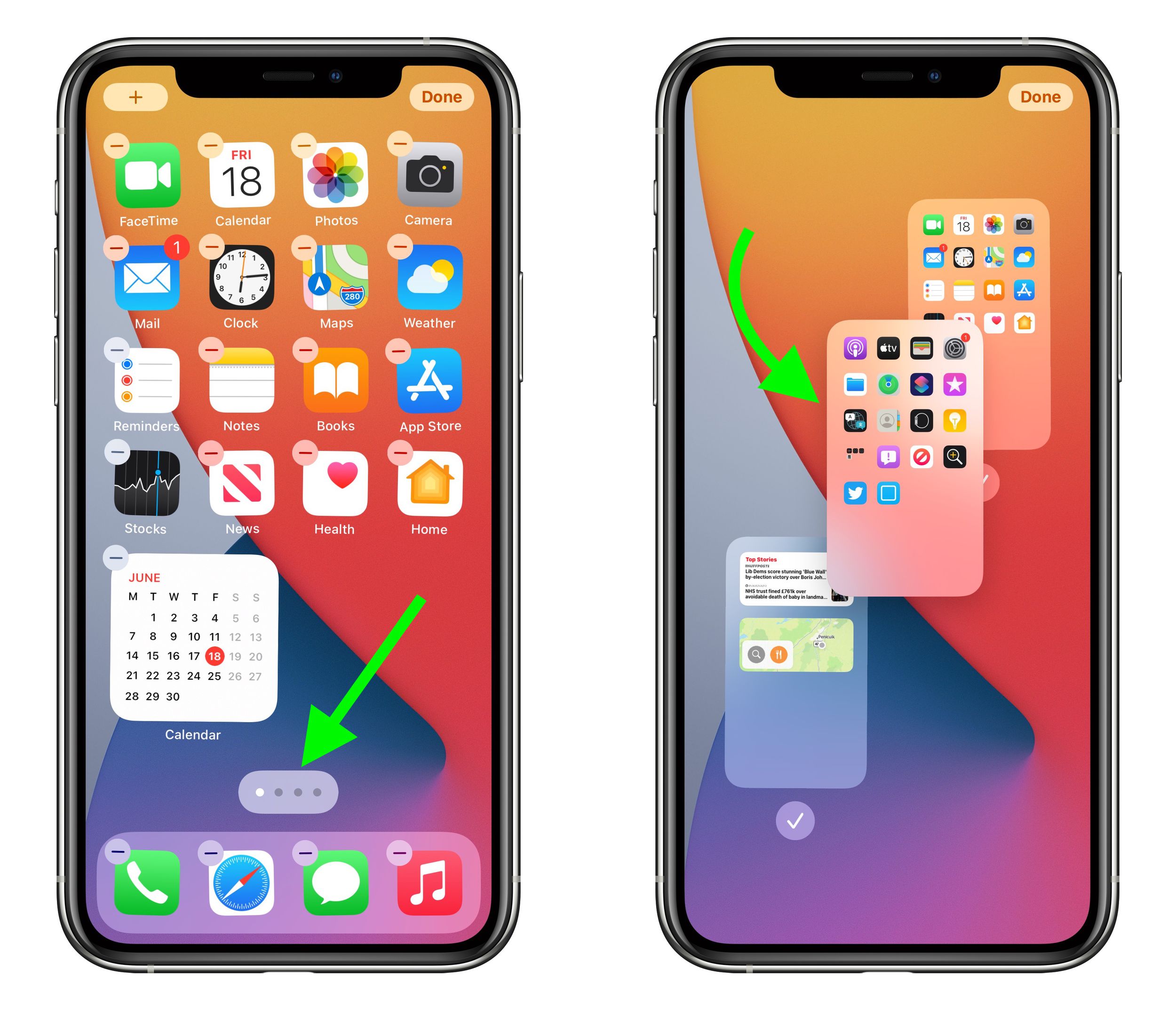
- Touch and hold a space on the Home Screen to enter jiggle mode.
- Tap the row of dots representing your Home Screen pages.
- In the Home Screen grid that appears, touch and drag a page to rearrange it in relation to your other pages. The others will move to make way in response to your drag action.
- Tap Done in the top-right corner of the screen when you're happy with the new arrangement, then tap Done again to exit jiggle mode.
How to Disable or Delete Home Screen Pages
- Touch and hold a space on the Home Screen to enter jiggle mode.
- Tap the row of dots representing your Home Screen pages.
- In the Home Screen grid that appears, tap the checkmark next to a page to uncheck/disable it, or tap the minus (-) icon in the top-left corner of a page to delete it, then tap Delete in the prompt to confirm.
- Tap Done in the top-right corner of the screen when you're finished.

If you disable a Home Screen page, you can re-enable it by tapping the checkmark icon next to it again so that the checkmark reappears. When you delete a Home Screen page, the apps that were on the page are not deleted and remain in the App Library. You will have to drag them out of the App Library if you want to re-add them to the Home Screen.
Popular Stories

Crackgate? iPhone Duo Owners Report Screens Breaking Along the Hinge

Apple Responds to iPhone Duo Display Cracking Reports

