iOS 18: Hide App Names on Your iPhone Home Screen
iOS 18: Hide App Names on Your iPhone Home ScreenWednesday August 7, 2024 7:00 AM PDT by Tim HardwickIn iOS 18, currently in beta, Apple has broadened the customization options for the Home Screen on iPhone, and thanks to a new se

Table of Contents
iOS 18: Hide App Names on Your iPhone Home Screen
In iOS 18, currently in beta, Apple has broadened the customization options for the Home Screen on iPhone, and thanks to a new setting it is now possible to make app icons and widgets bigger by hiding their labels.
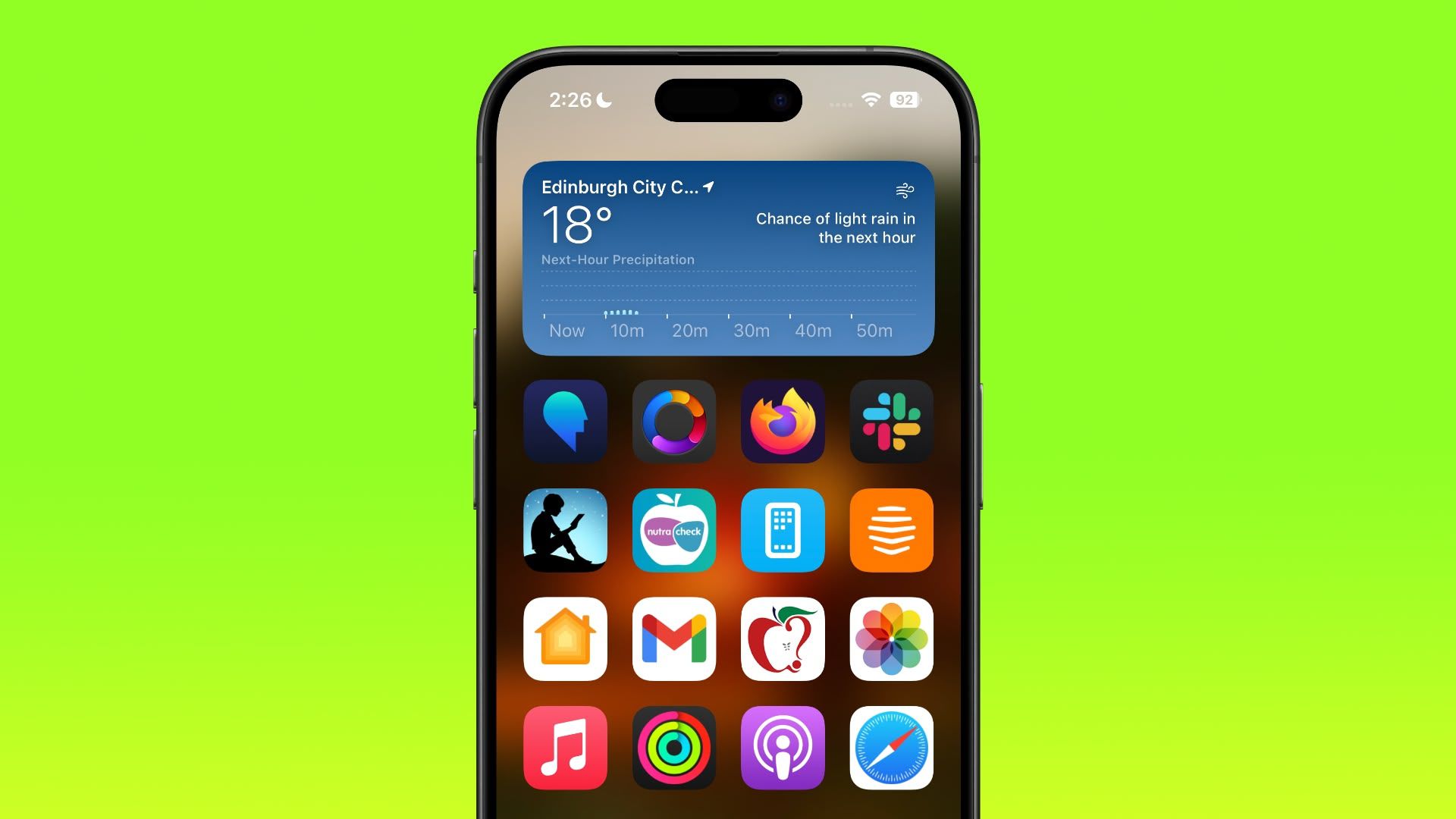
With the setting enabled in iOS 18, the names of apps are removed from the grid, which increases the size of the icons and widgets on your Home Screen with the space saved. With larger icons, you still get a maximum of six icon rows with four icons each, the same that you're limited to when icon names are turned on.
If you're familiar enough with your favorite apps that you don't feel the need to see the names underneath the icons, then it's worth giving it a try. With the labels removed, the design of your app icons takes center stage, resulting in a cleaner look for your Home Screen. Note that this setting is universal, so you cannot have small icons on one app page and large icons on a different app page.
The following steps show you how it's done.
- Press on an empty space on your Home Screen to enter jiggle mode.
- Tap the Edit button in the top-left corner, then choose Customize.
- Tap the Large option in the customization panel.
- Tap on an empty space to hide the customization panel.

That's all there is to it. If you decide you want to see app labels again, simply repeat the steps, but choose the Small option in the customization panel instead. iOS 18 is currently in public beta and will be officially released to iPhone users in the fall.
Popular Stories

Apple Responds to iPhone Duo Display Cracking Reports

Crackgate? iPhone Duo Owners Report Screens Breaking Along the Hinge