Stop Your Recent Browser Searches Showing on iPhone
Stop Your Recent Browser Searches Showing on iPhoneThursday July 10, 2025 8:29 AM PDT by Tim HardwickApple in iOS 18.4 introduced a potentially privacy-compromising change to its Safari browser that puts your search history on ful

Table of Contents
Stop Your Recent Browser Searches Showing on iPhone
Apple in iOS 18.4 introduced a potentially privacy-compromising change to its Safari browser that puts your search history on full display when opening new tabs.
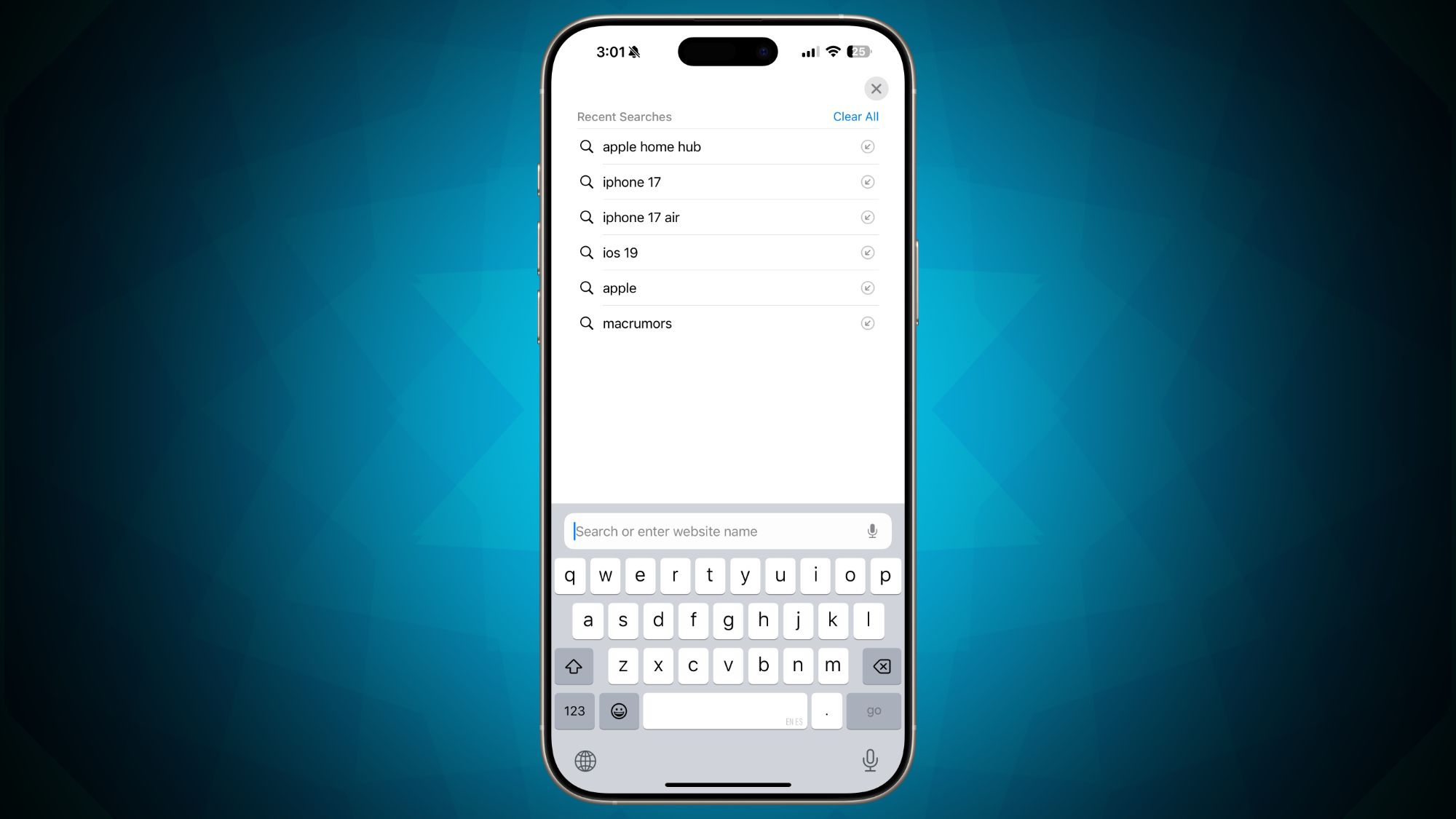
Previously in iOS, opening a new tab and tapping the search field brought up the keyboard while continuing to display the personalized Safari home page. However, Apple's iOS 18.4 software update modified how Safari handles new tabs by automatically showing your recent search history whenever someone taps into the search field.
Privacy-conscious users are likely to raise eyebrows at the change, as it could expose previous searches in situations where users hand their devices to friends, family members, or colleagues – or just search for something when someone else is looking at their screen. A quick tap on the search field would immediately reveal what the device owner has been searching for online.
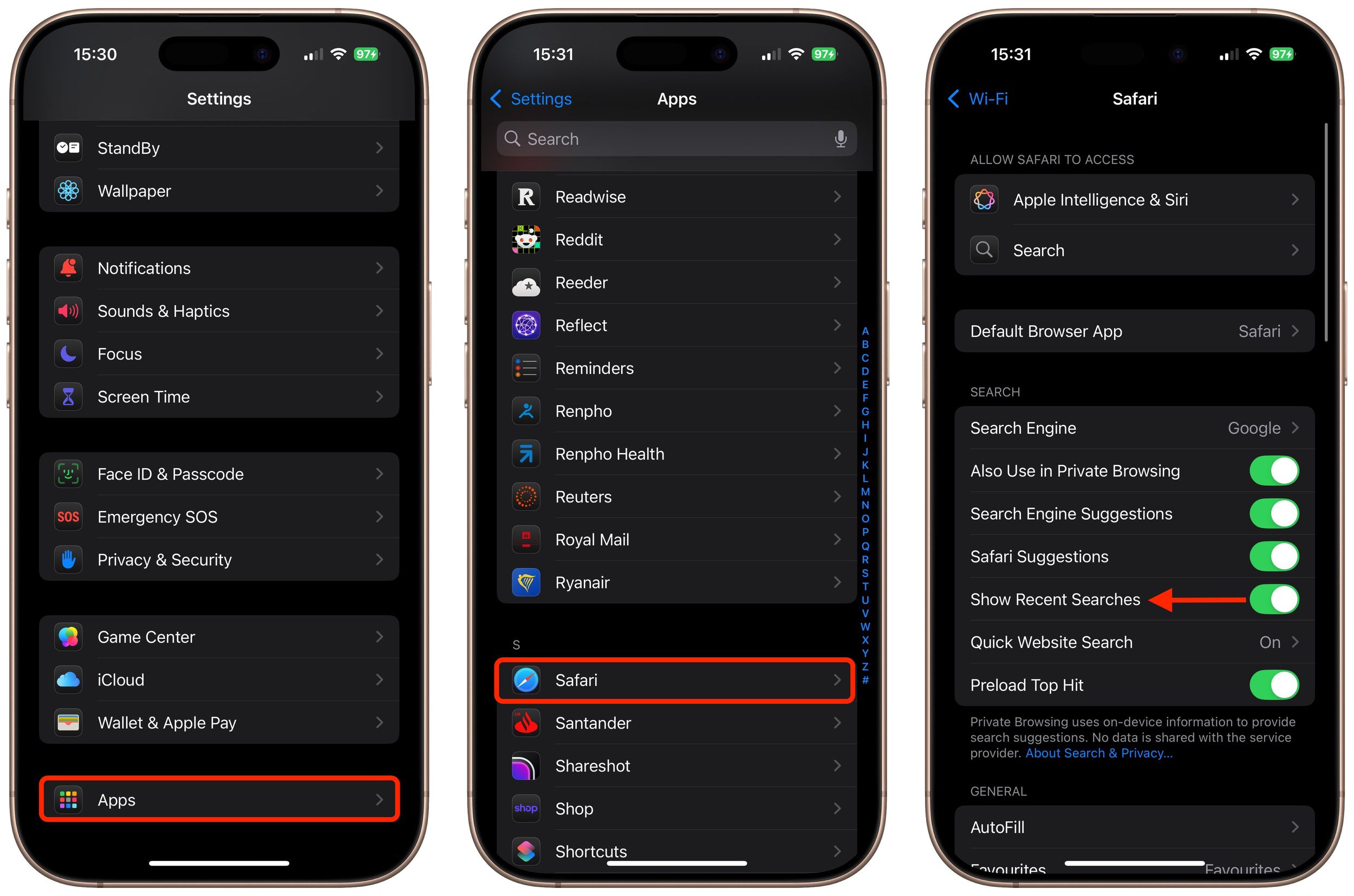
Fortunately, Apple added a toggle that reverts the new Safari tab behavior so that your recent searches are no longer on full view.
- Open the Settings app on your iPhone.
- Scroll down to the bottom and tap Apps.
- Find Safari in the alphabetical list and tap on it, then toggle off the switch called Show Recent Searches.
Of course, there's an upside to the change that you may appreciate. It makes frequently used search terms more conveniently accessible, potentially saving time if you often search for similar topics. But the convenience still comes with the tradeoff of reduced privacy, and that might be a step too far for some users.
Popular Stories

Apple Explains Why Chrome Users Should 'Switch to Safari'

Apple Wants to Fix Safari's Cramped Layout on iPhone Duo