
Stop WhatsApp Auto-Saving Media to iPhone Photos App
Stop WhatsApp Auto-Saving Media to iPhone Photos AppWednesday November 13, 2024 2:03 AM PST by Tim HardwickBillions of messages are sent over the WhatsApp chat platform every day. One of the reasons for the service's massive popul

Table of Contents
- 1. How to Stop WhatsApp Saving to Photos
- 2. How to Limit WhatsApp Media Downloads to Wi-Fi
- 3. Popular Stories
- 4. WhatsApp Now Lets Anyone Join Calls, No Account Needed
- 5. WhatsApp Developing In-App Browser for All Chat Links on iPhone
- 6. Crackgate? iPhone Duo Owners Report Screens Breaking Along the Hinge
- 7. Next Article
Stop WhatsApp Auto-Saving Media to iPhone Photos App
 Billions of messages are sent over the WhatsApp chat platform every day. One of the reasons for the service's massive popularity is that it lets users send and receive as many media-rich messages as they want, which – as long as they've limited WhatsApp's use of their cellular data plan – costs them next to nothing.
That's great news for senders, but one of the drawbacks of receiving multiple images and video clips from your WhatsApp contacts is that they're automatically saved to your iPhone's Photos app. Apart from being an unwelcome sight in your personal photos, they can start to take up valuable storage space. Fortunately, you can easily prevent this default behavior by following the steps below.
How to Stop WhatsApp Saving to Photos
- Launch the WhatsApp app on your iPhone.
- Tap the Settings icon (the small cog wheel) at the bottom right of the screen.
- Tap Chats.
- Toggle off the Save to Photos option so that it no longer shows as green.
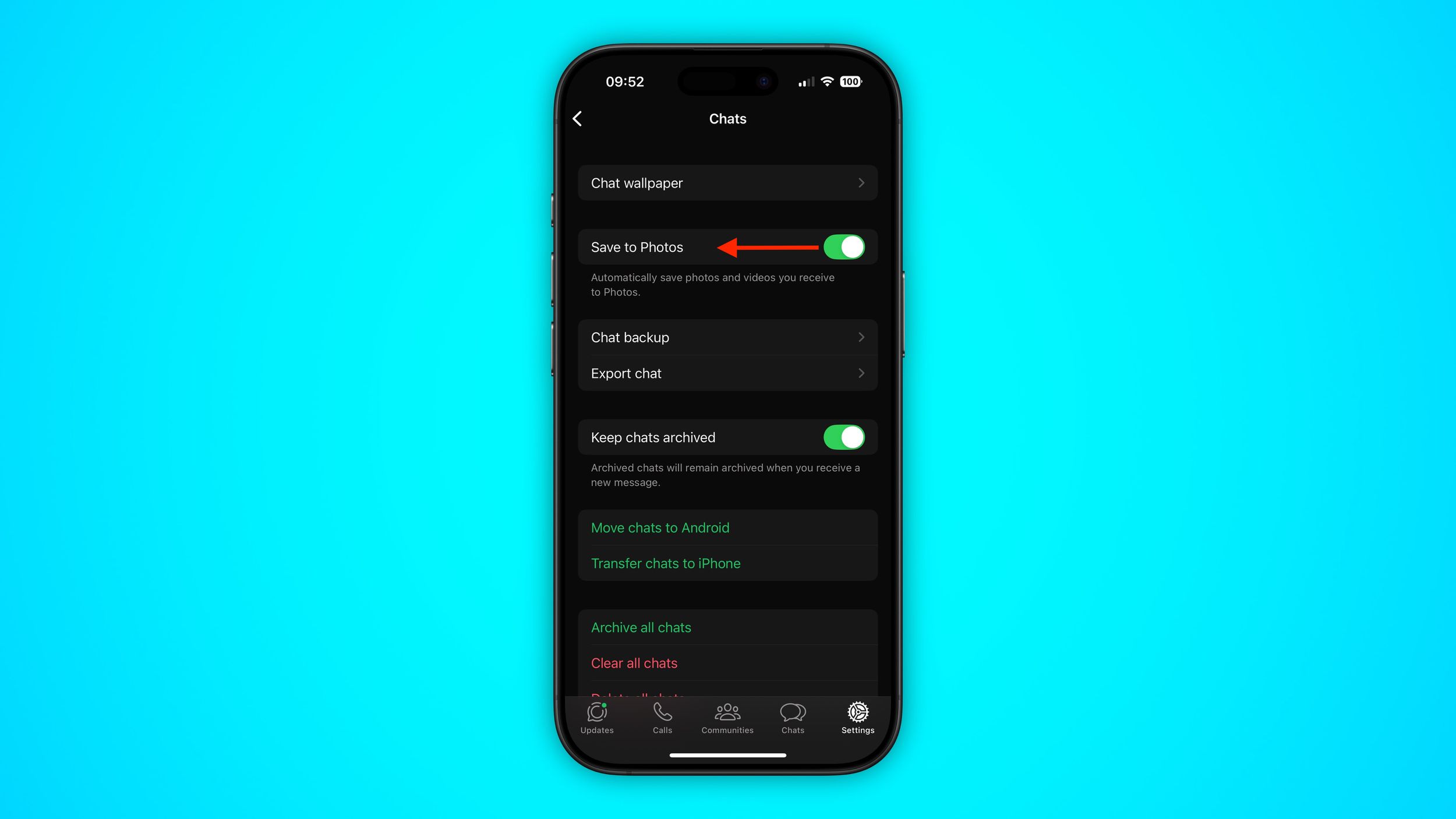
Once you've turned off the above setting in WhatsApp, you can still manually opt to save individual media files that you receive in a chat thread. Simply long press on the photo or video clip in question and choose the Save option.
How to Limit WhatsApp Media Downloads to Wi-Fi
If receiving images or video over WhatsApp is sapping your cellular data when you're out and about, you can prevent them from downloading to your iPhone until you're safely back in range of a Wi-Fi connection.
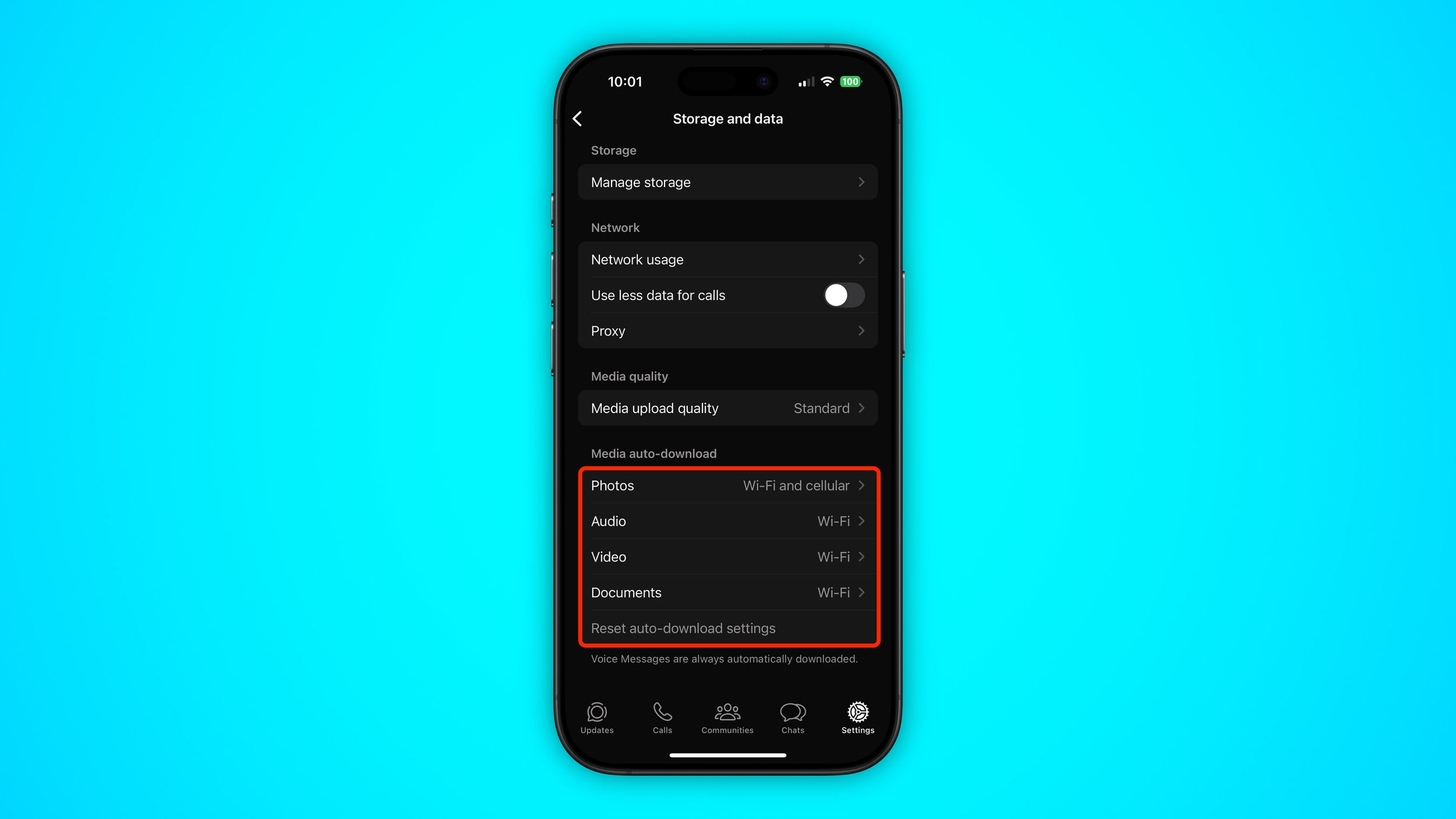
To do so, return to WhatsApp's Settings tab and tap Storage and data. The options under the "Media Auto-Download" section let you dictate which types of media can be downloaded and under what circumstances. Make sure that the media types you're happy to wait for are set to Wi-Fi.
Popular Stories

WhatsApp Now Lets Anyone Join Calls, No Account Needed
WhatsApp Developing In-App Browser for All Chat Links on iPhone

