
iOS 26: Customize iPhone Alarm Snooze Duration (Finally!)
iOS 26: Customize iPhone Alarm Snooze Duration (Finally!)Friday August 1, 2025 8:51 AM PDT by Tim HardwickiOS 26 finally breaks free from the tyranny of the 9-minute snooze. Apple's latest update (currently in beta) lets you custo
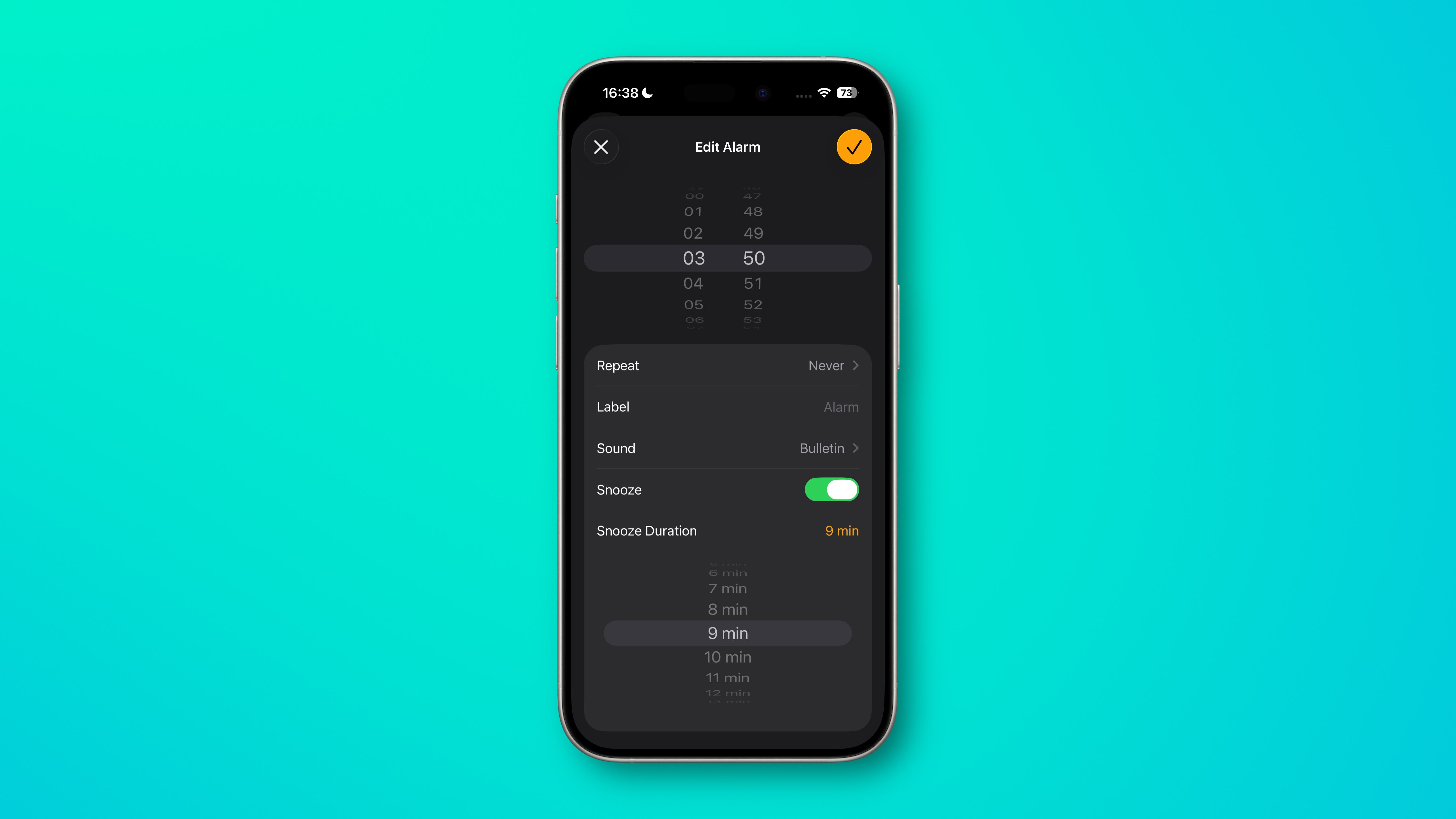
Table of Contents
iOS 26: Customize iPhone Alarm Snooze Duration (Finally!)
iOS 26 finally breaks free from the tyranny of the 9-minute snooze. Apple's latest update (currently in beta) lets you customize your iPhone's alarm snooze duration anywhere from 1 to 15 minutes, which may well put an end to years of morning routine frustration.

Whether you only need a quick 2-minute buffer before rising from your slumber, or prefer a longer window to properly wake up, iOS 26 finally hands over the decision to you, the user. The rigid 9-minute default (a holdover from mechanical alarm clock limitations) never made sense anyway in the smartphone era.
Setting Your Custom Snooze Duration
Here's how to customize your alarm snooze time:
- Open the Clock app on your iPhone, then tap the Alarm tab at the bottom.
- Tap any existing alarm or create a new one by tapping the + button, top-left.
- In the alarm settings, make sure the Snooze option is toggled on, then tap the number next to Snooze Duration.
- Select your preferred duration from 1 to 15 minutes.
- Tap the big orange check mark to confirm your changes.
Remember that the custom snooze setting applies to individual alarms, so you can set, say, different durations for weekday versus weekend alarms.
New Ringtone Worth Trying

While you're customizing your alarm settings, check out the new "Reflection Alt 1" ringtone that Apple added in iOS 26. It offers a fresh take on the familiar "Reflection" tone with the same cool, glassy sound but a slightly different rhythm that might be perfect for waking up.
iOS 26 is currently in beta and is set to be released this fall.
Popular Stories

Crackgate? iPhone Duo Owners Report Screens Breaking Along the Hinge

Apple Responds to iPhone Duo Display Cracking Reports

