
iOS 17.3: How to Use Collaborative Apple Music Playlists
In iOS 17.3, Apple introduced collaborative Apple Music Playlists. Keep reading to learn how they work and how to make the most of them. With collaborative playlists, Apple now lets you take any of your existing playlists or creat

Table of Contents
In iOS 17.3, Apple introduced collaborative Apple Music Playlists. Keep reading to learn how they work and how to make the most of them.
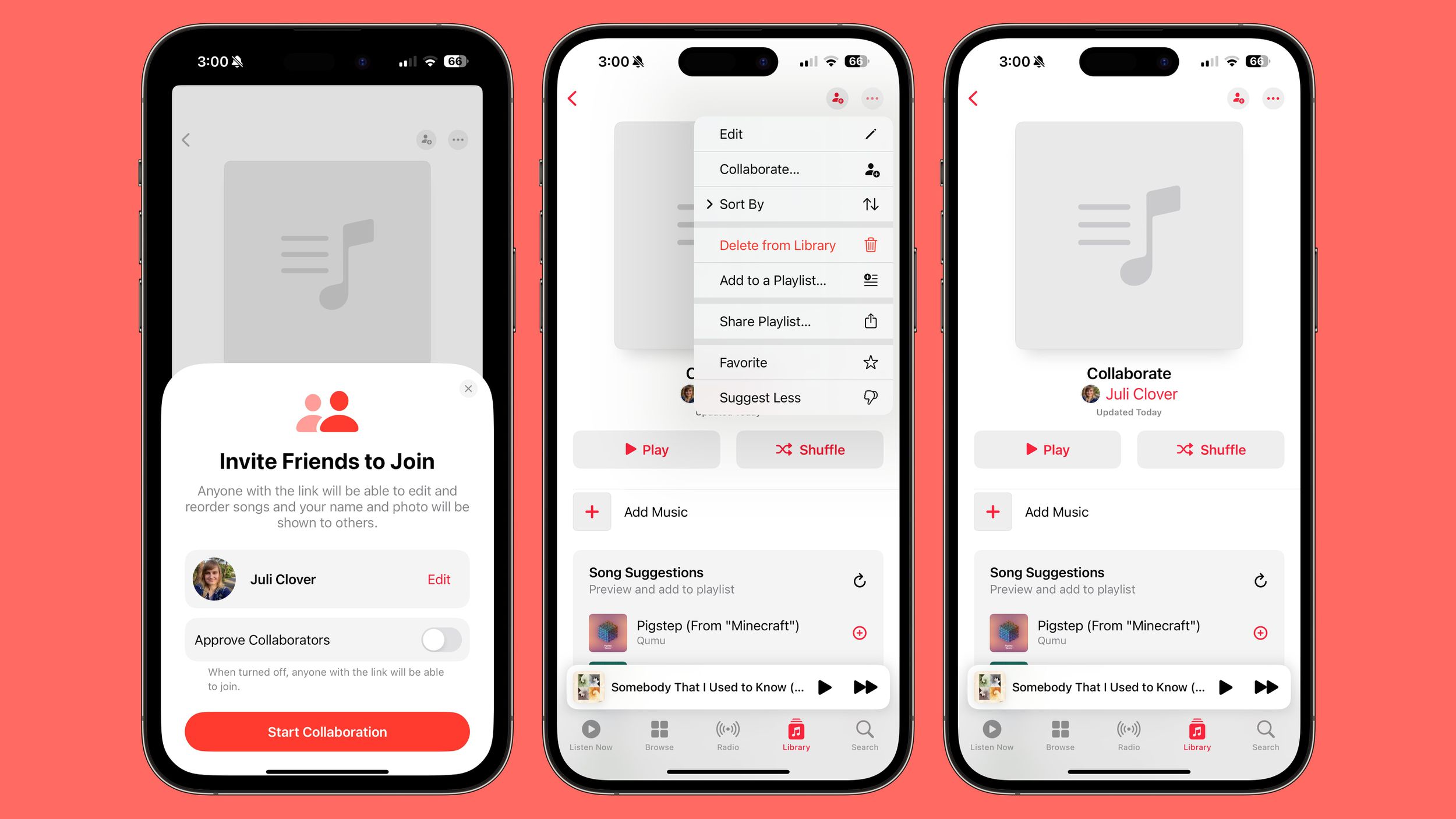
With collaborative playlists, Apple now lets you take any of your existing playlists or create a new one and then invite others to join in to add songs and listen to it.
Perhaps you want to prepare a playlist for a night around the campfire, or a house party you're hosting. Well, now everyone can help you set the perfect atmosphere. So far there does not appear to be a limit on how many people can contribute to a shared playlist, so you'll be free to invite friends, family members, and anyone else who wants to get in on the action.
How to Collaborate on a Playlist
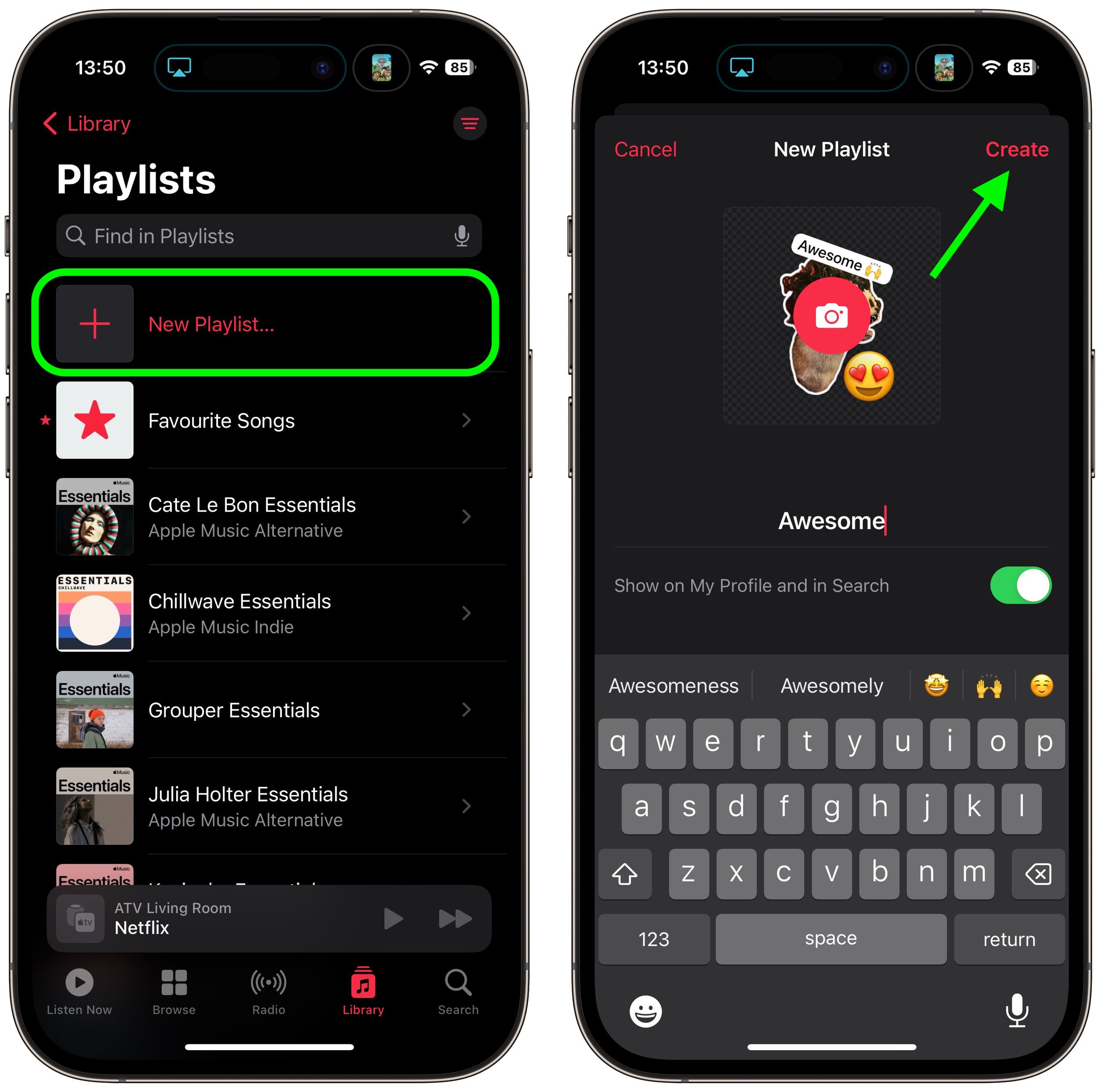
- Open the Music app on your iPhone, and in the Library tab, select Playlists.
- Tap New Playlist. Give your playlist a name and add a photo if desired, then tap Create.
- From here, you can either begin adding music to the playlist, or start inviting other users to it. Tap the round icon that looks like a person in the top-right corner of the screen.
- If you want to approve collaborators tap the switch, otherwise anyone with the link will be able to join. Then tap Start Collaborating.
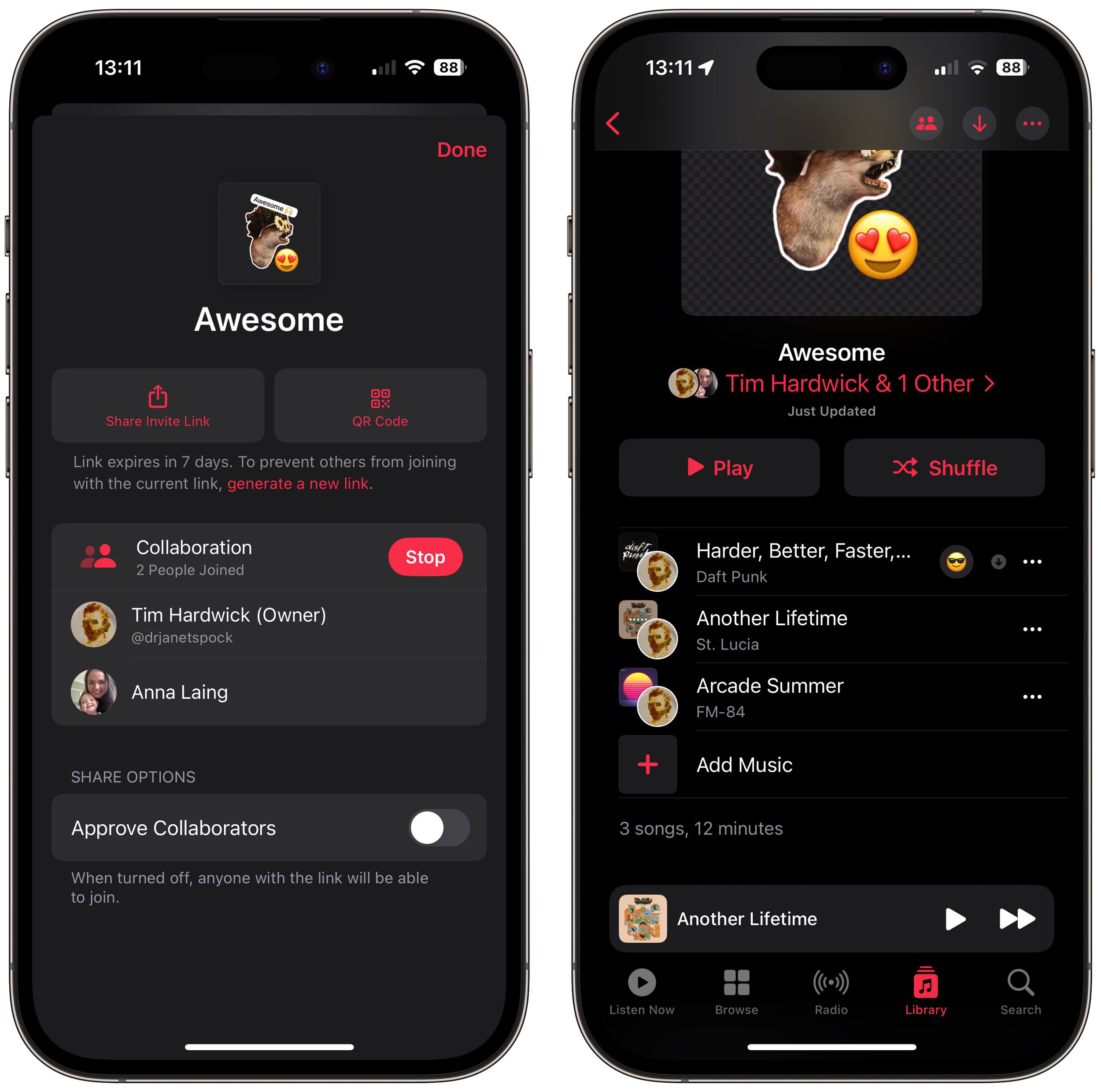
- Share the link using one of the options in the Share sheet. Note that links are valid for seven days.

Once someone has joined the playlist, they can begin contributing to it. If at any time you want to view participants, remove someone, or copy the playlist link again, simply tap the icon now made up of two people silhouettes. You can also use this menu to generate a QR code to let people access the playlist.
As participants start collaborating, each track will include a picture of the person who added it. When you play a song, you'll also see who contributed the track to the playlist.
How To React to Playlist Tracks
One of the fun things about sharing a collaborative playlist in Apple Music is that you can react to songs added by other people with an emoji. There are six emoji in the reaction bubble by default, but you can also use any emoji you like. Here's how it works.
- Play a song in the collaborative playlist that was added by someone else.
- Tap the emoji face icon in the playback screen.
- Select an emoji to react with, or tap the + button to bring up the emoji keyboard and select a different one.

That's all there is to it. Note that while collaborative playlists in Apple Music require iOS 17.3, people on devices running older versions of iOS can still join a shared playlist. They just won't be able to add or remove songs from it.
Popular Stories

Apple Music Has a Hidden iPod You Can Play With
Apple Music's New Look Officially Announced
