
How to Use Your iPad as a Second Screen for Your Mac
How to Use Your iPad as a Second Screen for Your MacThursday December 6, 2018 5:56 AM PST by Tim HardwickDuet Display is an app made by former Apple engineers that allows you to use your iPad as a second screen for your Mac. In th
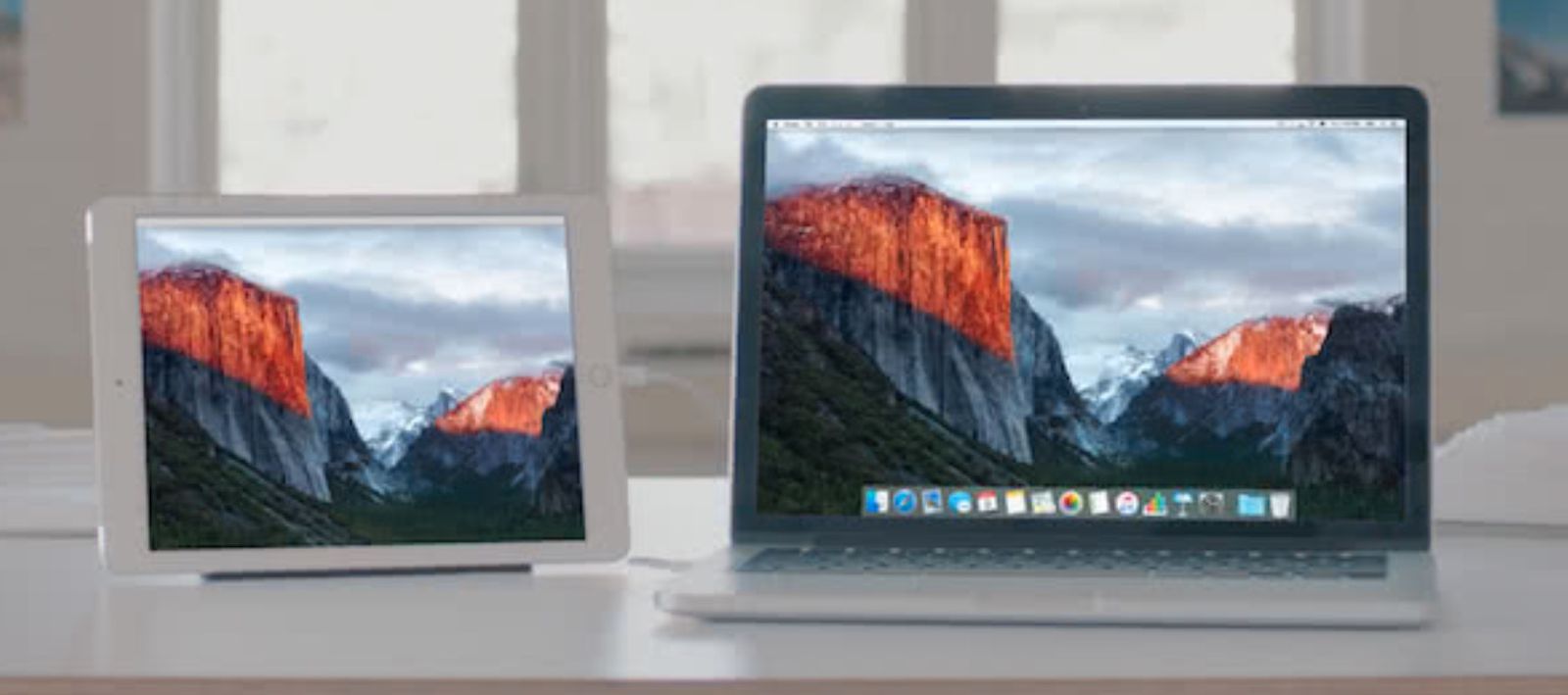
Table of Contents
How to Use Your iPad as a Second Screen for Your Mac
Duet Display is an app made by former Apple engineers that allows you to use your iPad as a second screen for your Mac. In this article, we'll explain how it works and the steps you need to follow to get things up and running.

Duet Display is a great way to extend your Mac's desktop and can come in especially handy when you're working away from home and want to broaden your productivity space, but don't have the luxury of a dedicated external monitor.
In earlier versions of macOS, the app was hampered by changes to Apple's operating system that caused its developers no end of problems, but the latest Duet update (v2.0.3.8+) released on December 5 appears to have resolved those issues thanks to the introduction of full hardware acceleration support.
We are excited to announce a breakthrough. As of macOS 10.14.2+ & duet v2.0.3.8+, Duet Display is now fully hardware accelerated, making the fastest way to turn your iPad into a second display even faster. 100% free update at https://t.co/VxaXUTgXdb pic.twitter.com/FbbuqAGF1E — Duet Display (@duetdisplay) December 5, 2018
Duet Display is actually one of two apps best known for letting users leverage their iPad as a second screen for their Mac. The other is Luna Display ($79.99), but that app uses another implementation that requires two small dongles to ensure a consistent low-latency connection.
Duet Display on the other hand is a pure software solution and a lot more affordable at $9.99, which is why we've chosen to cover it here.
How to Use Your iPad as a Second Screen for Your Mac
- Launch the App Store on your iPhone or iPad and download Duet Display ($9.99).

- Open a browser on your Mac, navigate to www.duetdisplay.com and click the Download Mac button at the top of the webpage to download the free Mac client.
- Once the Duet client app is downloaded to your Mac, drag it from the Downloads folder to the Applications folder.

- Double-click the Duet Mac client to launch it.
- Connect your iPhone or iPad to a free USB-A port on your Mac using a Lightning cable. (If you're using a Mac that has the newer USB-C ports, you'll need to use a Lightning to USB-C cable, which Apple sells in 1-meter and 2-meter lengths.)

- Launch the Duet app on your iPhone or iPad and wait a moment while it communicates with the Duet Mac client. You should see your Mac's desktop mirrored or extended on your iPad screen once a successful connection is made.

Once you've got things working, it's worth checking out Duet's display options: click the Duet applet in your Mac's menu bar and if you have an iPad connected you'll see a button to enable a touch-sensitive MacBook Pro-style Touch Bar along the bottom of your iPad's screen.

If you click Advanced Settings, you can choose from a number of Display options to scale the output to your iOS device. The pre-defined resolutions allow you to see either larger text or more desktop space, and Duet helpfully recommends which scale to pick based on device model.

Check the box next to Mirror Display if you want to duplicate your Mac's desktop on your iPad rather than extend it. There are also options to enable Retina display mode, increase the framerate from 30 to 60fps, and switch the image quality from Regular to High, all of which require more device energy.
If you click the cog wheel in the Duet menu bar applet, you'll also find some additional settings worth attending to. If your Mac has a dedicated graphics card then you can set Duet to use it exclusively for faster performance, alternatively you can limit it to the integrated graphics for energy efficiency.
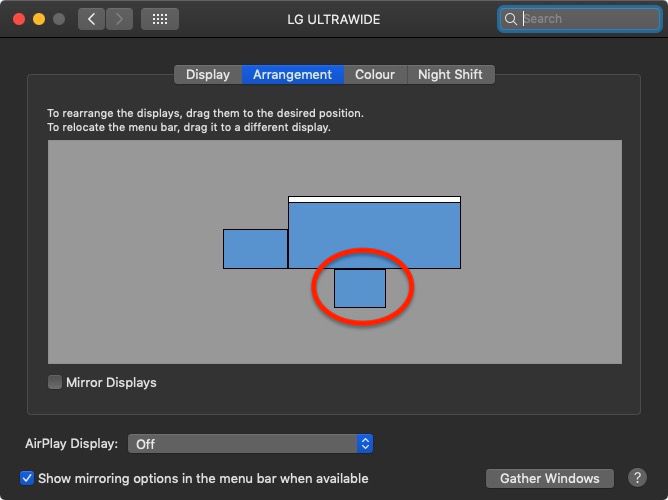
There are also menus to enable or reduce transparency on your iOS device display, an option to start Duet at login, and a link to change the Display Arrangement of your screens in System Preferences.
If you get on with Duet Display, there are Air ($19.99 annually) and Pro ($24.99) versions that offer additional features like wireless connectivity and Apple Pencil support, respectively. For more information and support, check out the Duet Display website.
Popular Stories

Apple Responds to iPhone Duo Display Cracking Reports

Crackgate? iPhone Duo Owners Report Screens Breaking Along the Hinge

