
How to Share Your Location via Satellite With Find My
How to Share Your Location via Satellite With Find MyTuesday November 15, 2022 5:56 AM PST by Tim HardwickApple in November 2022 launched its Satellite Emergency SOS via satellite service in the US and Canada, and while the featur

Table of Contents
How to Share Your Location via Satellite With Find My
Apple in November 2022 launched its Satellite Emergency SOS via satellite service in the US and Canada, and while the feature is geared to help you in a genuine emergency, Apple's satellites also make it possible for you to share your location via Find My whenever you are off the grid.
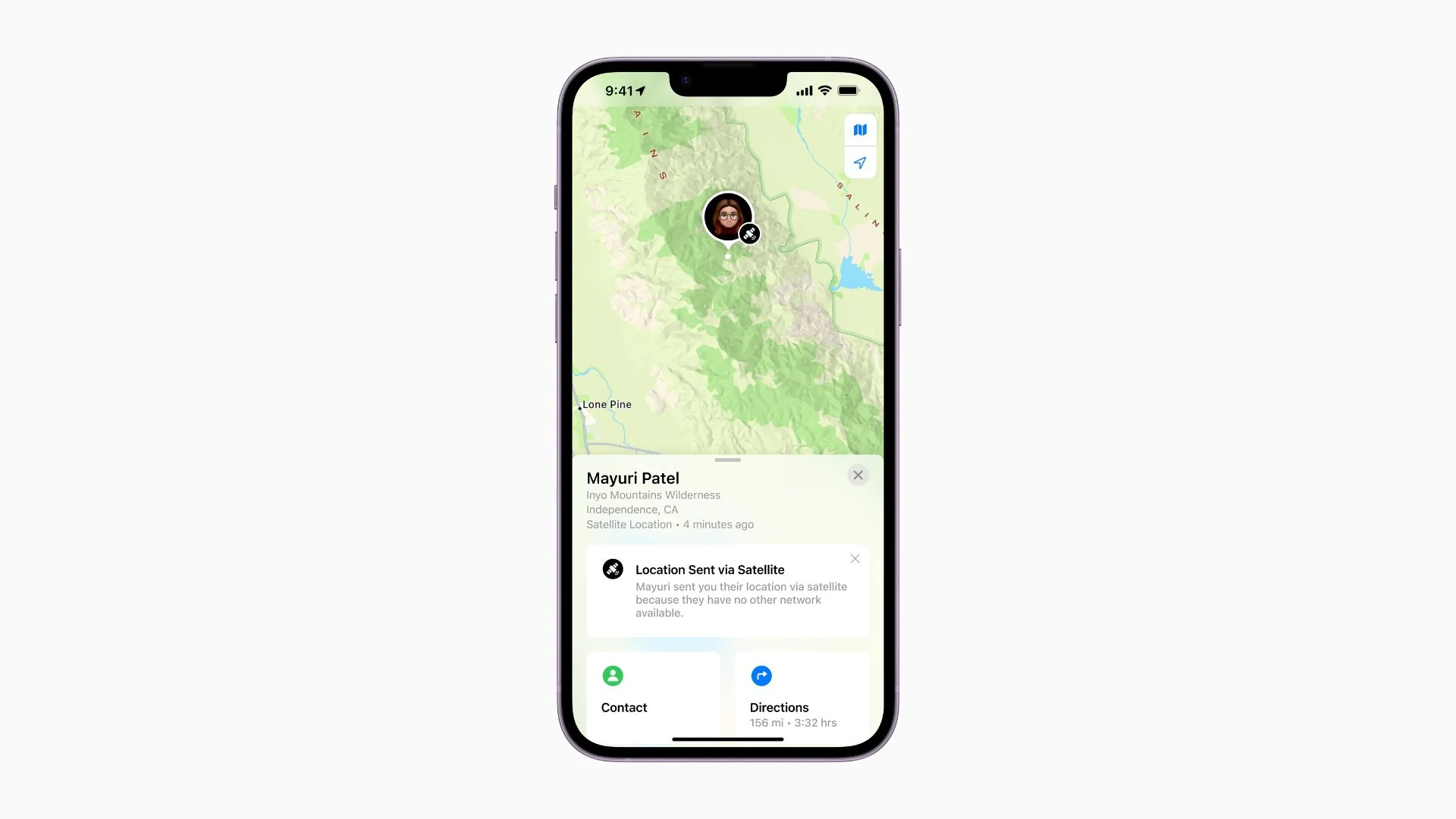
Following Apple's Emergency SOS satellite feature announcement, every model in the iPhone 14 lineup — iPhone 14, iPhone 14 Plus, iPhone 14 Pro, and iPhone 14 Pro Max — can connect directly to a satellite, thanks to a combination of custom-designed components and integrated software.
This means iPhone 14 users can message with emergency services while outside of cellular and Wi-Fi coverage. Even if you're in the wilderness and don't have a genuine emergency, you can share your location via satellite using Find My to reassure friends and family.
Before you follow the steps below to access the new Find My feature, there are a few things you should note. As of writing, iPhone 14 satellite functionality is only available in the US and Canada, but it will be available in France, Germany, Ireland, and the UK from December 2022. Bear in mind that you must lack cellular coverage and not be connected to Wi-Fi for the feature to show up.
Also, Emergency SOS via satellite and Find My via satellite require iOS 16.1, so make sure your device is up to date by opening Settings and going to General -> Software Update.
Lastly, the satellite service is included for free for two years starting at the time of activation of a new iPhone 14, iPhone 14 Plus, iPhone 14 Pro, and iPhone 14 Pro Max. After two years has elapsed, Apple's satellite features are expected to transition to a paid-for service.
How to Share Your Location via Satellite
- Open the Find My app on your iPhone 14.
- Tap the Me tab at the bottom-right corner of the screen.
- Swipe up on the card to reveal "My Location via Satellite."
- Tap Send My Location.
That's all there is to it. The people in your Find My friends network will receive a notification inviting them to view your current location.
Popular Stories

Crackgate? iPhone Duo Owners Report Screens Breaking Along the Hinge

Apple Music Has a Hidden iPod You Can Play With

