iOS 26: Send Photos Faster With This Hidden Toggle
iOS 26: Send Photos Faster With This Hidden ToggleWednesday May 13, 2026 4:55 AM PDT by Tim HardwickIn iOS 26, Apple quietly added a neat new option that lets you send smaller-sized previews of images over Messages so that recipie

Table of Contents
iOS 26: Send Photos Faster With This Hidden Toggle
In iOS 26, Apple quietly added a neat new option that lets you send smaller-sized previews of images over Messages so that recipients get them right away, before the full-resolution images arrive.
Thanks to the new setting, your recipient will receive a lower-quality preview almost instantly, followed by the full-resolution image. And if you're traveling with limited cellular data or using a metered data connection, they only get the compressed preview version – ensuring the original high resolution image doesn't hoover up your data.
How to Enable Send Photo Previews
Apple has made this feature easy to toggle on or off depending on your needs. Here's how to enable it:
- Open Settings on your iPhone.
- Scroll down and tap Apps.
- Select Messages from the app list.
- Toggle on the switch next to Send Low-Quality Photo Previews.
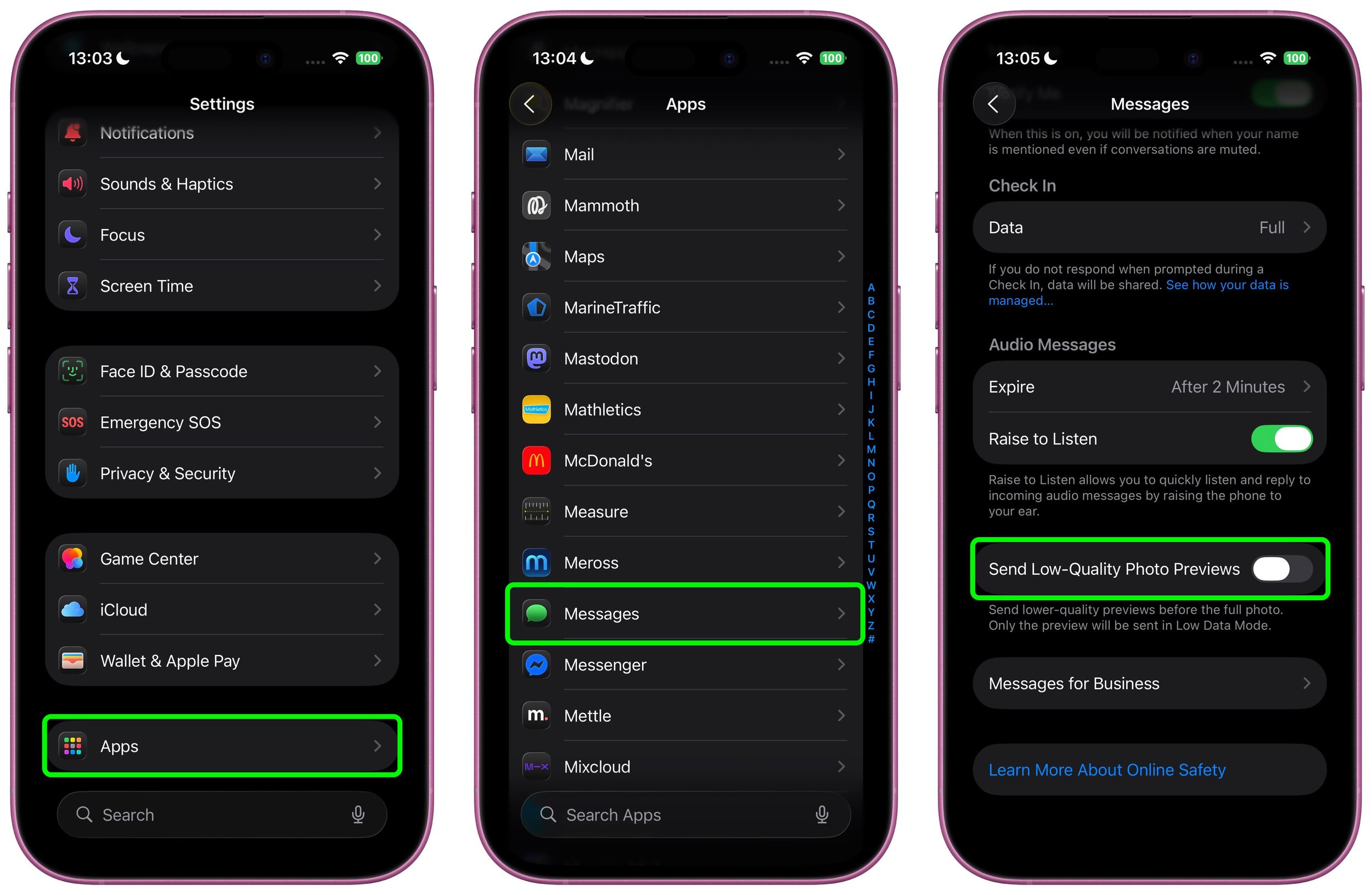
Once enabled, the feature works automatically, so you don't have to do anything else.
A Note on Low Data Mode
You can make sure that only smaller-sized previews of images are sent to recipients by keeping your iPhone in Low Data Mode. You can enable this manually by going to Settings ➝ Cellular Service. Choose your primary service, then tap Data Mode and toggle on Low Data Mode. The same setting appears under individual Wi-Fi network settings in Settings ➝ Wi-Fi (tap the encircled "i" button next to the Wi-Fi network name).
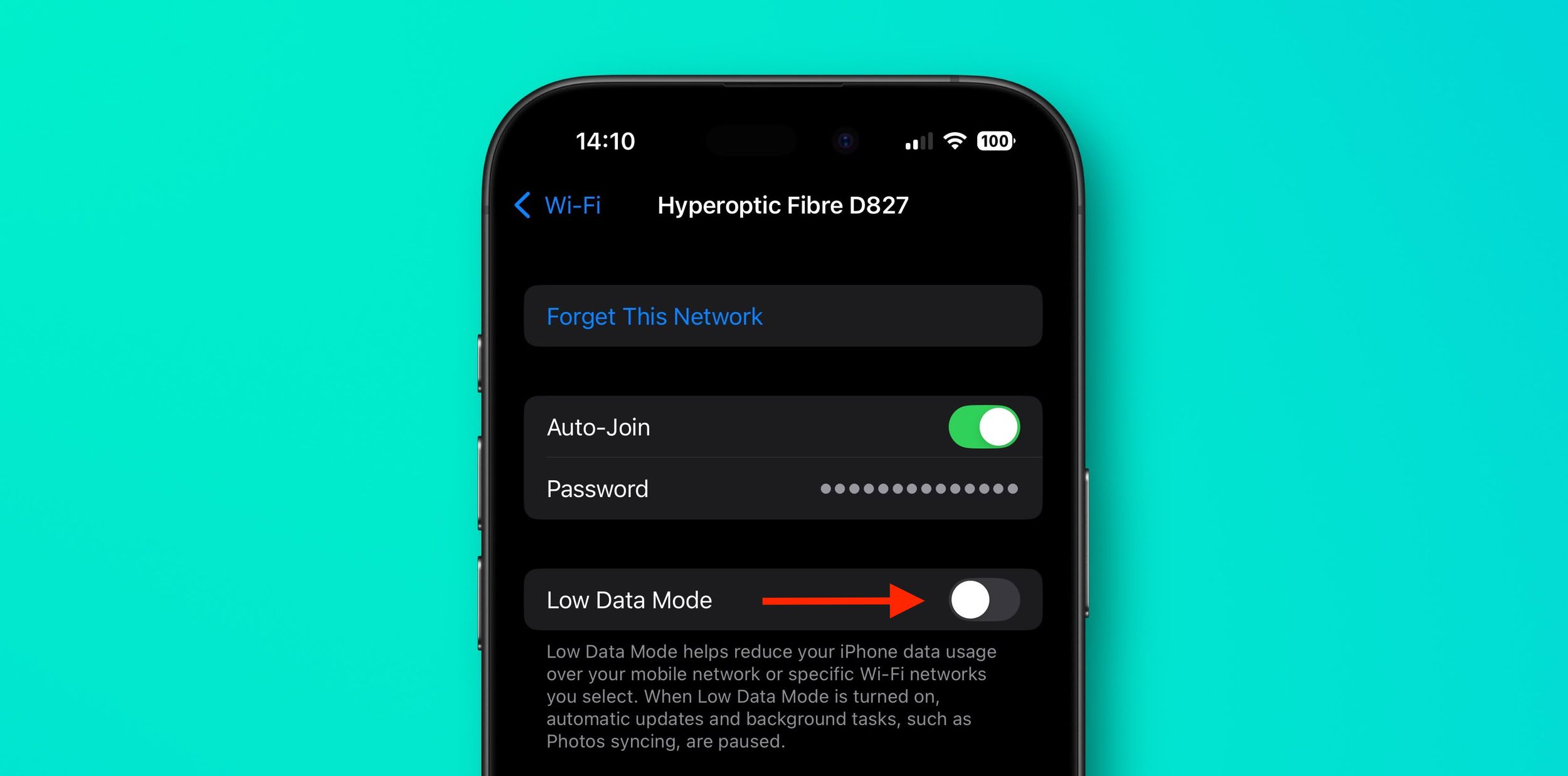
When Low Data Mode is active and Send Low-Quality Photo Previews is enabled, you may see photos in your Messages conversations appear slightly pixelated. Just bear in mind that they will only be delivered in higher quality versions if you send them when Low Data Mode is turned off.
Popular Stories

Apple Shares Photos Shot on iPhone Duo

Apple Now Pushing iPhone Users Still on iOS 26 to Install iOS 27