
iOS 26: How to Use the New Music Pins Feature
iOS 26: How to Use the New Music Pins FeatureWednesday July 30, 2025 6:56 AM PDT by Tim HardwickIf you've ever found yourself scrolling endlessly through your iPhone's music library to find that one album you play every morning or

Table of Contents
iOS 26: How to Use the New Music Pins Feature
If you've ever found yourself scrolling endlessly through your iPhone's music library to find that one album you play every morning or the workout playlist that gets you pumped, then you should find iOS 26's new Music pins feature a welcome addition to the app.
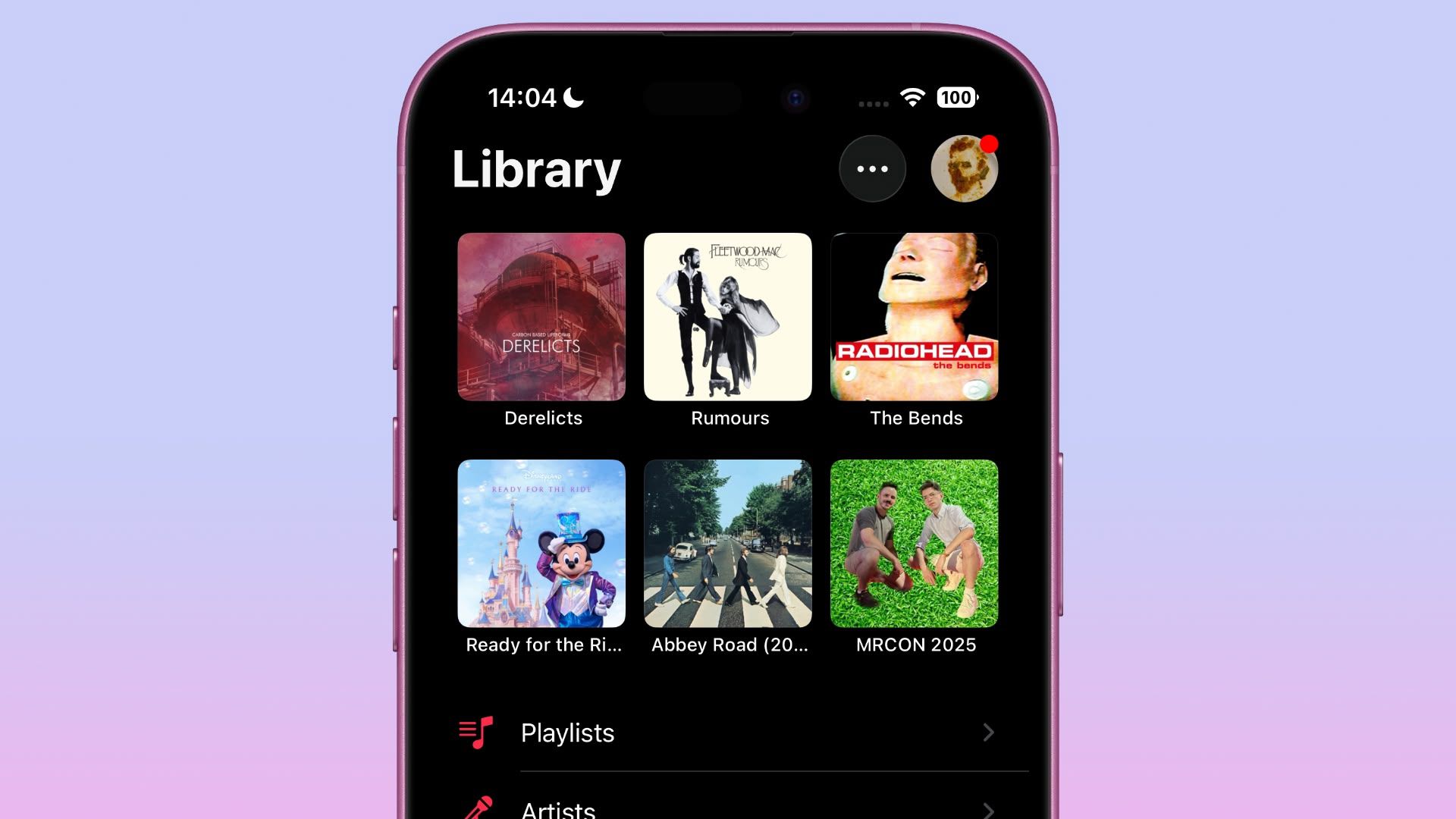
Basically, Apple Music lets you pin your most frequently accessed songs, playlists, albums, and artists directly to the top of your Library tab, making them readily accessible with a single tap.
Pinning keeps your musical essentials within easy reach, and it couldn't be easier to use. In the Music app, simply navigate to the song, album, artist, or playlist that you want to pin, then long press on the item and choose the Pin option from the popup menu.
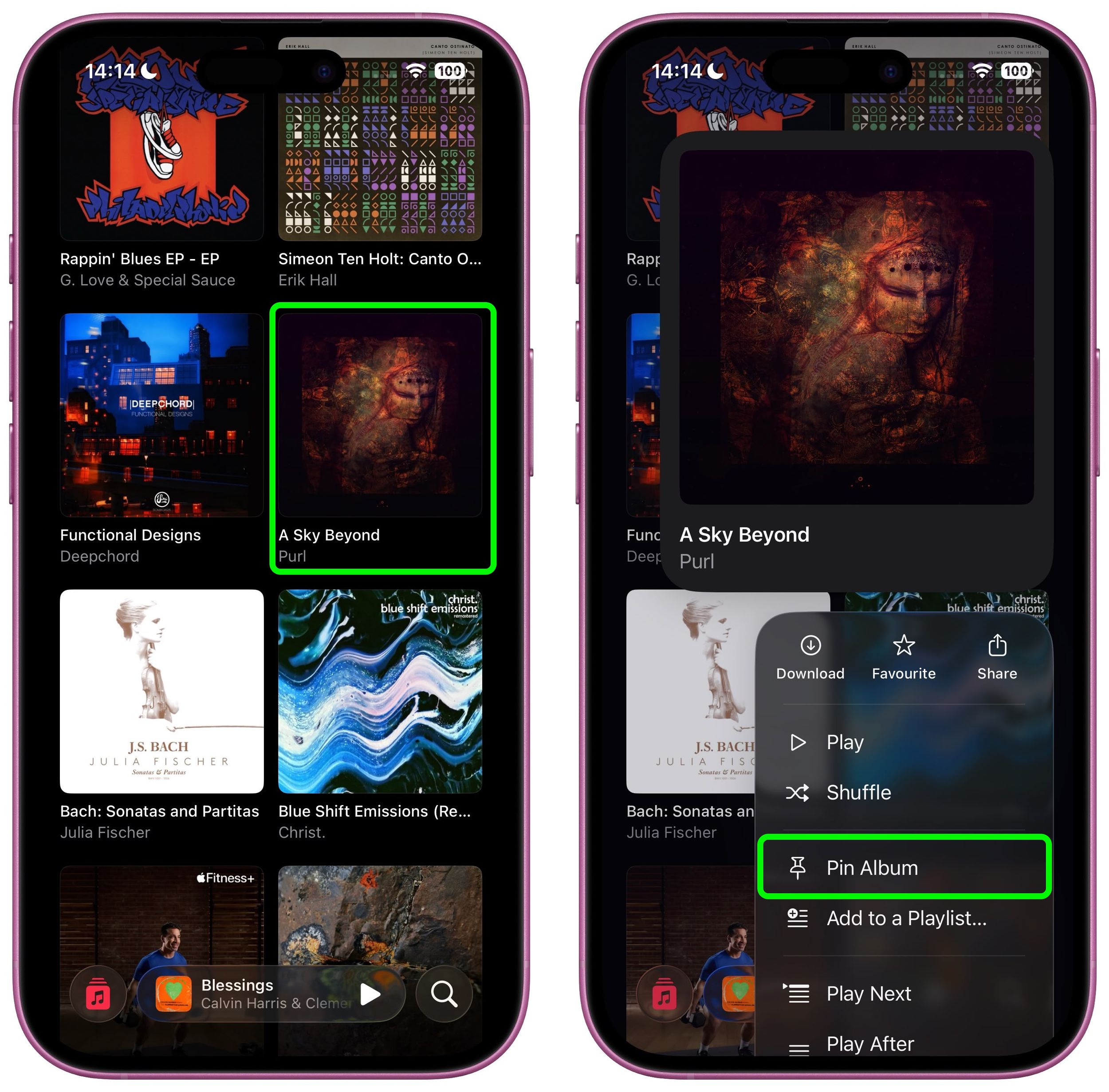
To unpin an item from the top of your Library tab, it's pretty much the same action – long press it and choose the Unpin option from the popup menu.
Download Pinned Items?
The first time you use Music pins, iOS 26 will ask if you want to download pinned items automatically for offline listening. You can adjust this setting anytime by navigating to Settings ➝ Apps ➝ Music and toggling Download Pins.

Music pins aren't the only new Music addition in iOS 26. The app now has an AutoMix feature to create seamless DJ-style transitions between songs, plus there's also lyrics translation and lyrics pronunciation, making it easier to appreciate music from all over the world. Note that iOS 26 is currently in beta and will be released in the fall.
Popular Stories

Apple Music Has a Hidden iPod You Can Play With

Apple Music's New Look Officially Announced

