
iOS 17: How to Straighten Your Shooting Angle With the New Camera Level Feature
iOS 17: How to Straighten Your Shooting Angle With the New Camera Level FeatureTuesday July 11, 2023 4:41 AM PDT by Tim HardwickApple in iOS 17 has introduced a handy new camera feature that helps to straighten up your shooting an

Table of Contents
iOS 17: How to Straighten Your Shooting Angle With the New Camera Level Feature
Apple in iOS 17 has introduced a handy new camera feature that helps to straighten up your shooting angle before you even hit the shutter. Running the iOS 17 beta? Then keep reading to learn how to take advantage of the new Level option.
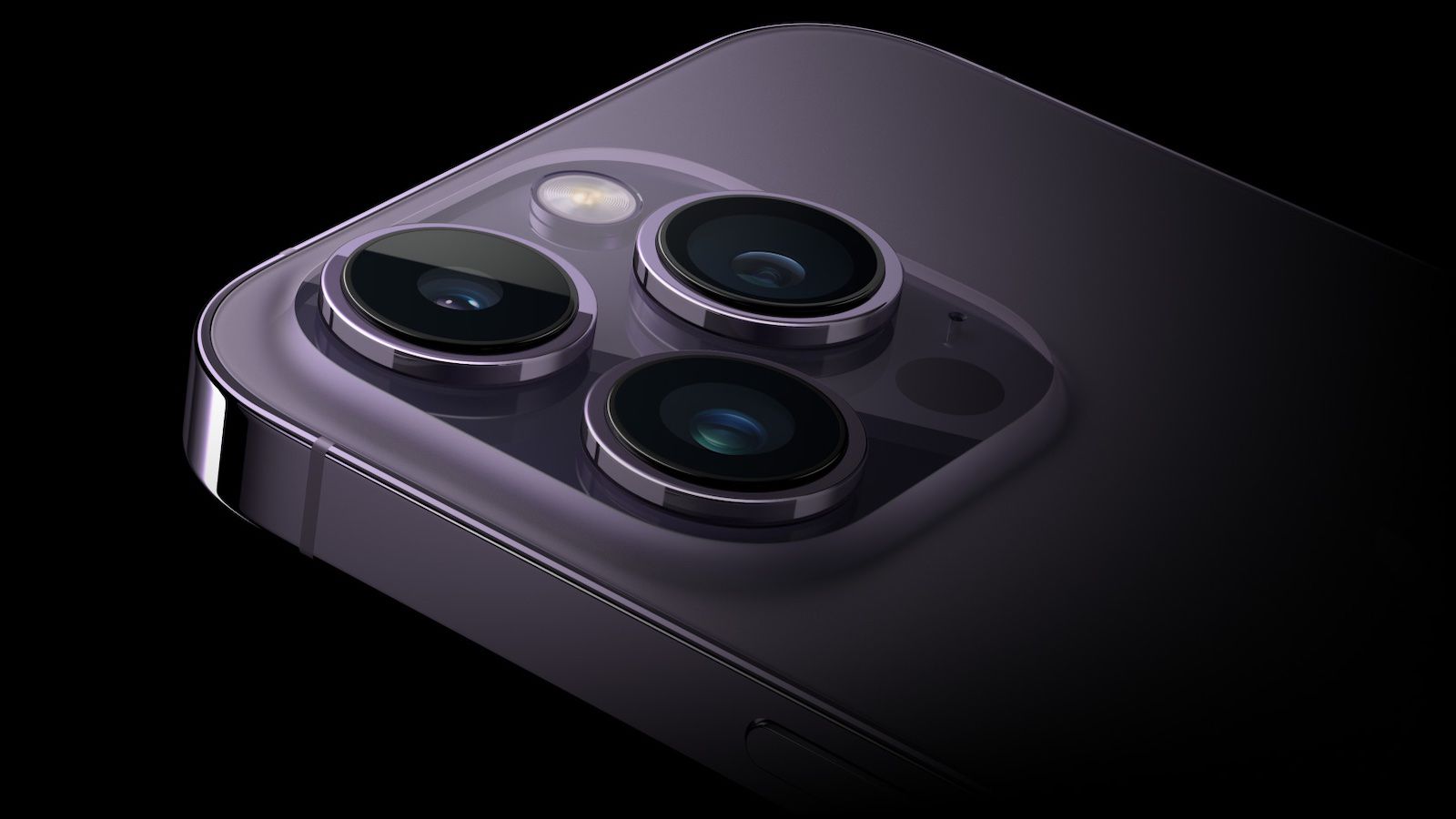
For a while now, Apple's Camera app has included a few optional settings that can help you line up your shots. There's a Grid that can be overlaid on the viewfinder to help apply the rule of thirds, and a somewhat-hidden leveling feature for top-down photos that displays a floating crosshair to help you line up your subject properly.
With iOS 17, Apple has further enhanced the camera leveling functionality by separating it out from the Grid mode. By making it an individual option, Apple has also included an additional horizontal level for more traditional straight-on photos.
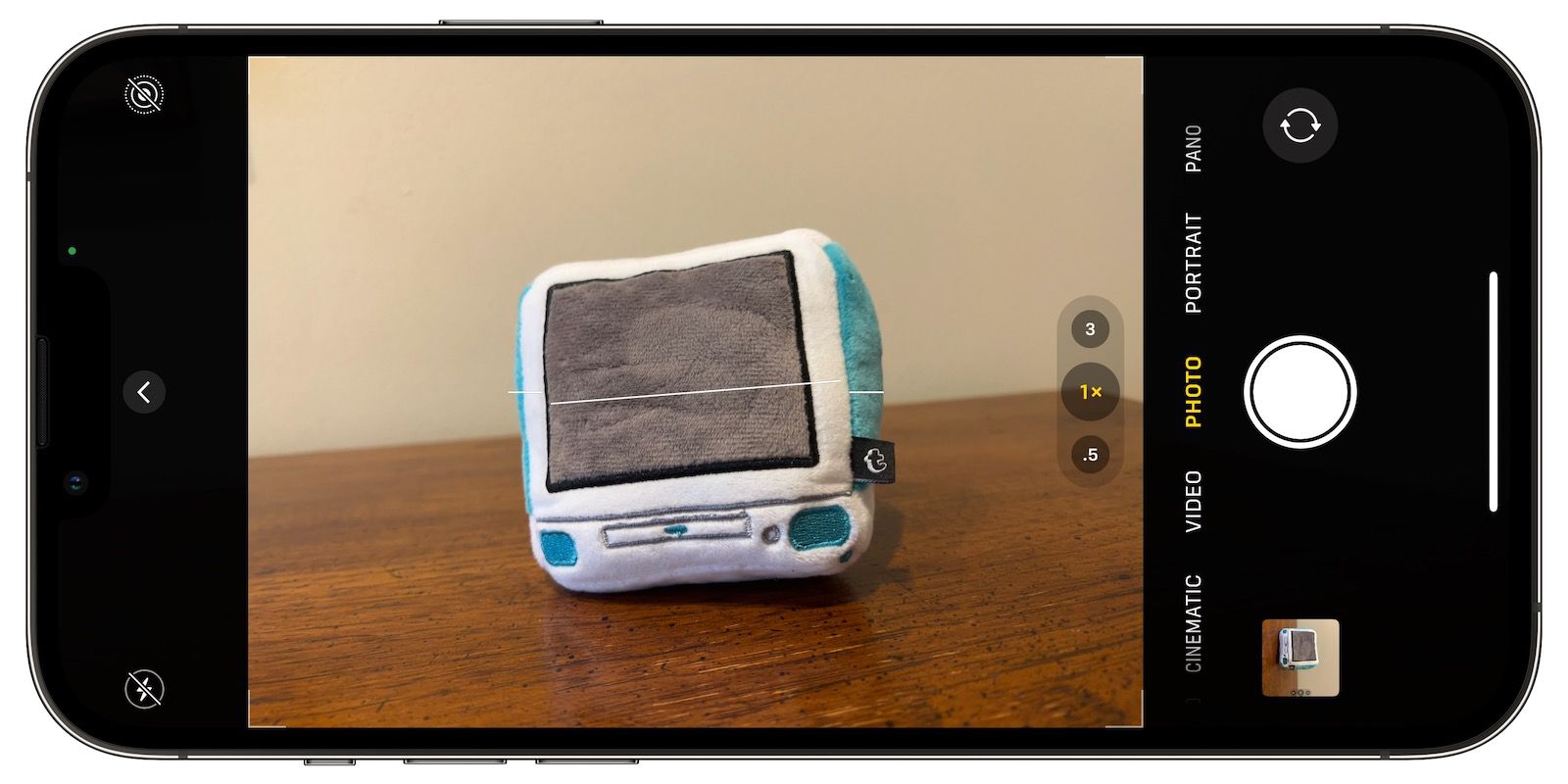
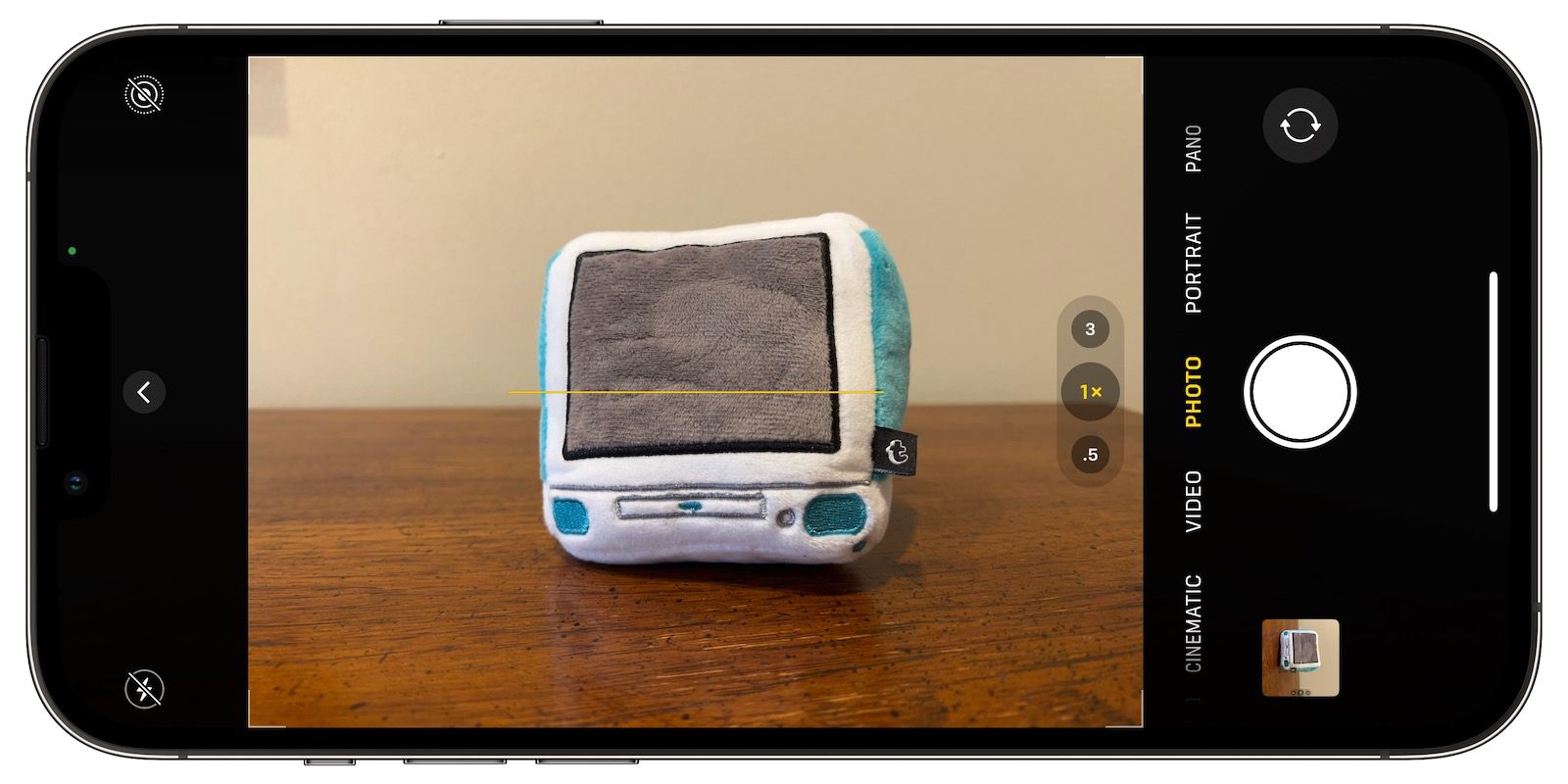
Turning the Level option on will pop up a broken horizontal line on the screen when your iPhone senses you're lining up for a straight-on shot and you tilt your device slightly out of horizontal. The line appears white while your phone is out of level and then turns yellow once you achieve a level orientation to indicate success.
How to Enable the Camera Level
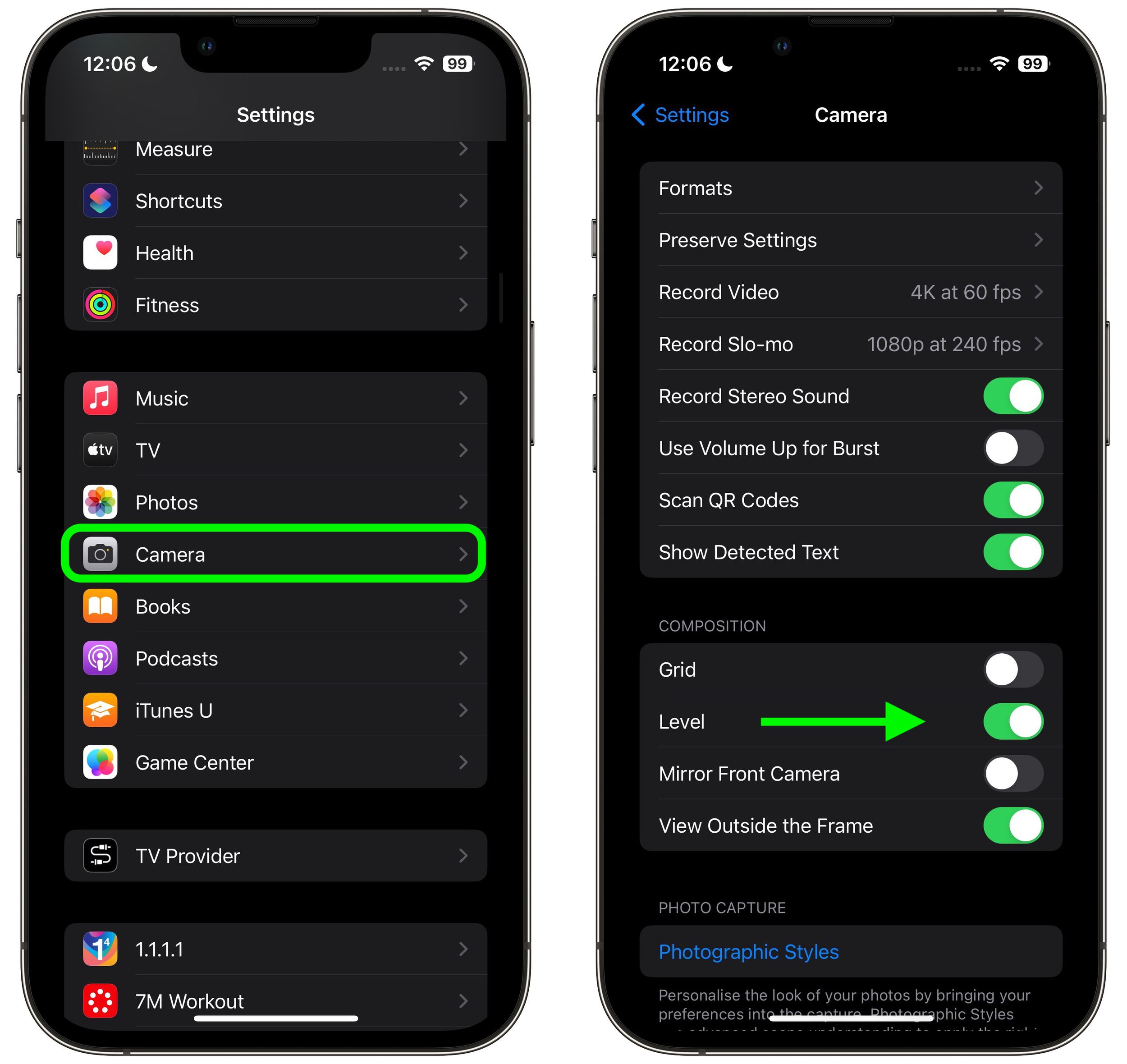
The new Level option is off by default if you don't have Grid mode enabled. You can turn it on manually by following these steps.
- Open the Settings app on your iPhone.
- Scroll down and select Camera.
- Under the "Composition" section, toggle on the switch next to Level.
Now open the Camera app and try shooting a subject at a straight angle, and you should see the broken horizontal lines in the center of the viewfinder. Straighten your angle up to connect the lines and make a single yellow line.
The leveling pop-up only appears briefly and only within a narrow range of angles close to horizontal (in either portrait or landscape orientation), so it won't intrusively pop up when you're intentionally trying to take a photo at an angle.
Popular Stories

Apple Responds to iPhone Duo Display Cracking Reports

Crackgate? iPhone Duo Owners Report Screens Breaking Along the Hinge

