
iOS 17: How to Name Your Pets in Photos With Pet Recognition
iOS 17: How to Name Your Pets in Photos With Pet RecognitionFriday September 15, 2023 7:18 AM PDT by Tim HardwickWith iOS 17 and iPadOS 17, Apple has added pet recognition to its stock Photos app for iPhone and iPad. Keep reading
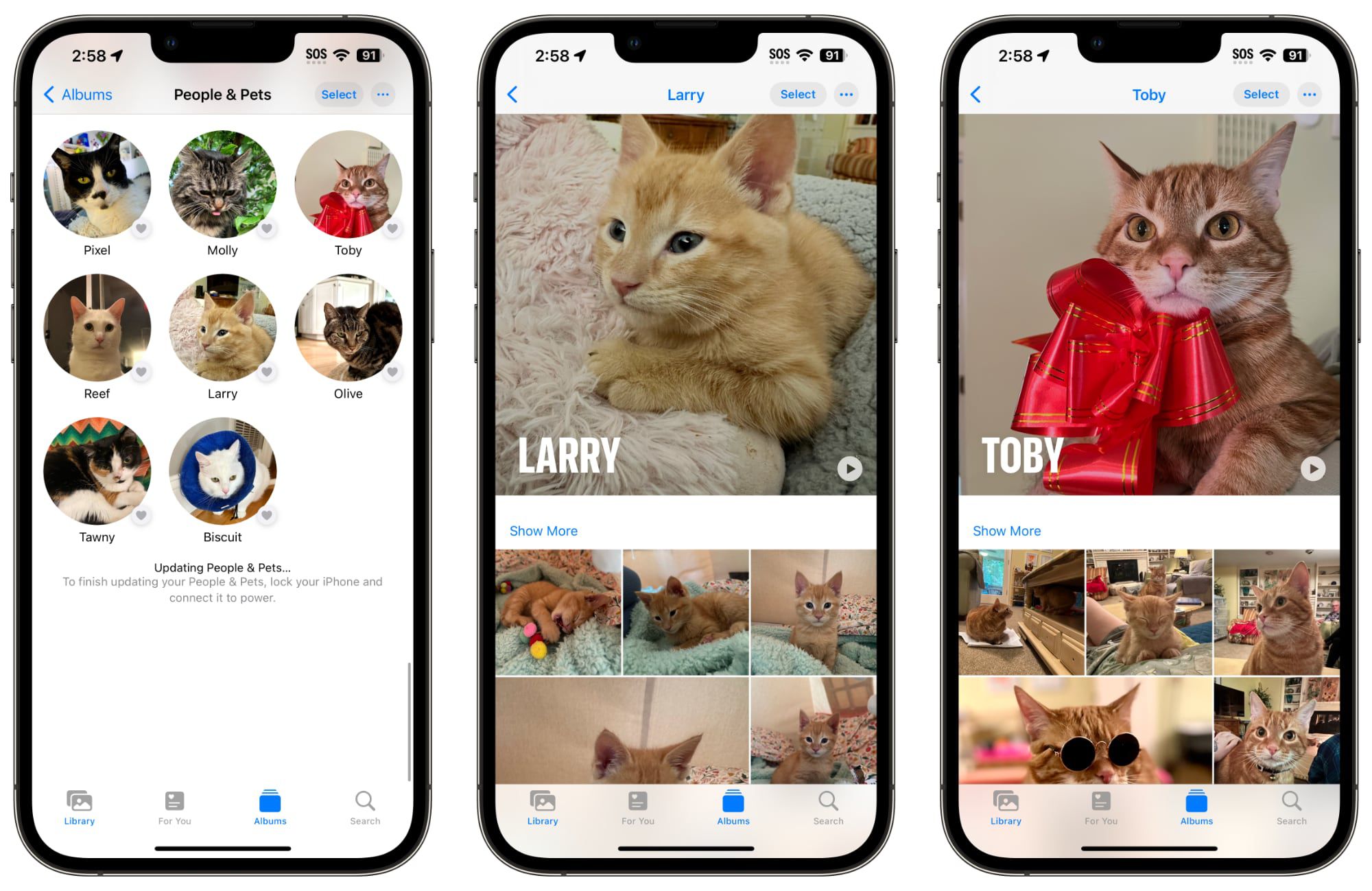
Table of Contents
iOS 17: How to Name Your Pets in Photos With Pet Recognition
With iOS 17 and iPadOS 17, Apple has added pet recognition to its stock Photos app for iPhone and iPad. Keep reading to learn how to set it up.

Regular users of Apple's Photos app will be undoubtedly familiar with the People album, which tries to identify faces in your pictures so that you can label people with their proper names and use that label as an organizing element in your library or as a discoverable tag.
In addition to people, the Photos app in iOS 17 can recognize specific animals so you can have your pets automatically sorted into albums. Accordingly, the People album has been renamed the "People & Pets" album.
The pet recognition feature works on cats and dogs. If you have pictures of such animals in your photo library, here's how to name them for easier discovery and organization.
- Open the Photos app on your device.
- Tap the Search tab, input "pets" into the search field at the top of the screen, then tap Search.
- Under "Pets" (located below the selection of photos identified as featuring pets) tap any Unnamed Pet.
- Tap Add Name at the top of the screen.
- Enter the pet's name, then tap Next.
- Tap Done to finish.
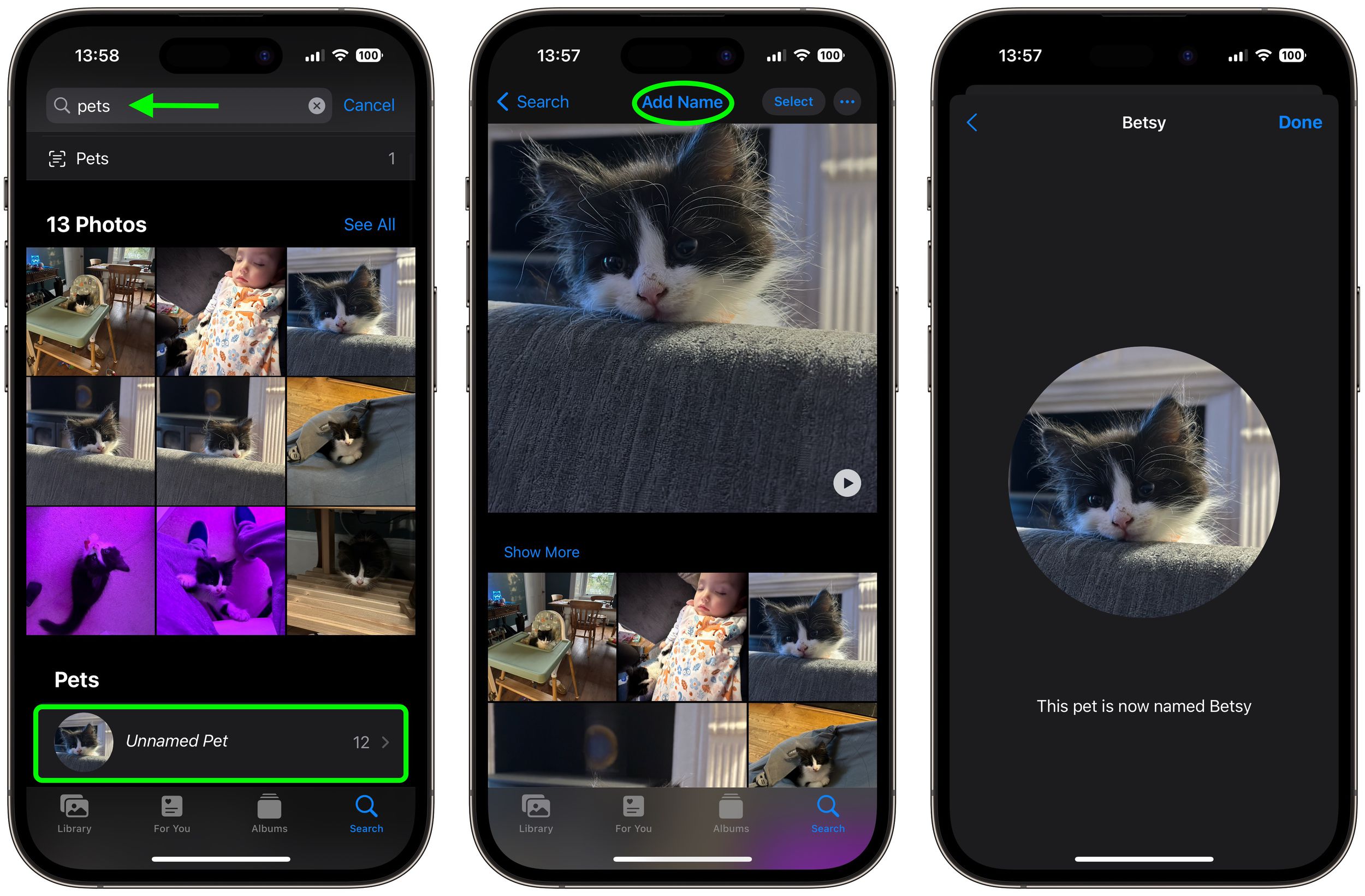
That's all there is to it. Once your pet is named and recognized in photos, you can use the typical photo management options to organize and manage your tags.
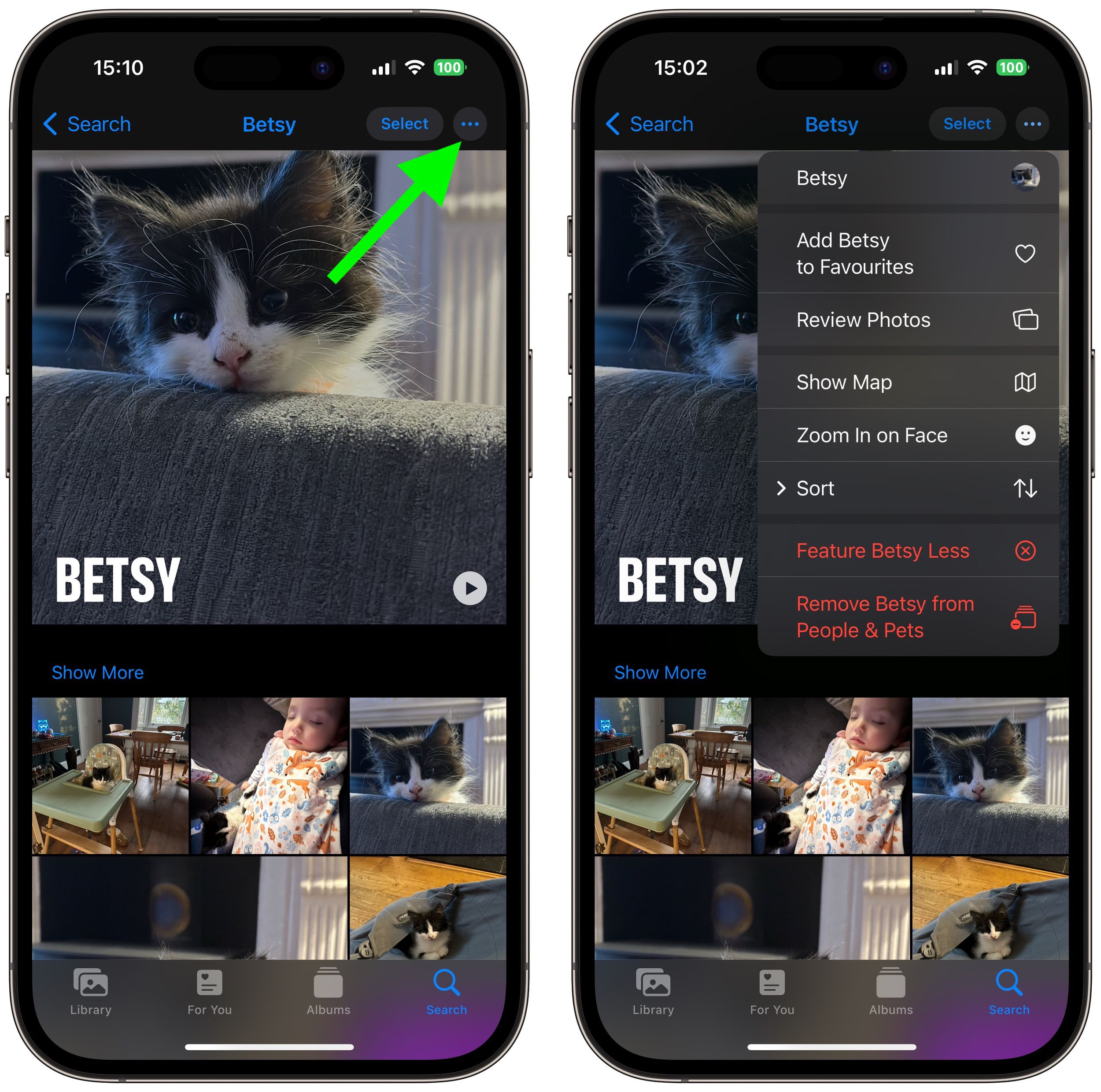
Simply select the pet in question, then tap the three encircled dots in the top-right corner of the screen, and you'll be able to favorite the pet, sort and review the pet's photos, and more.
Popular Stories

Apple Shares Photos Shot on iPhone Duo

iPhone Duo's Hidden FaceTime Camera Takes 'Trash' Photos

