
How to Use WhatsApp on iPad
How to Use WhatsApp on iPadTuesday January 11, 2022 4:44 PM PST by Tim HardwickDespite strong competition from the likes of Telegram and Signal, WhatsApp remains the most popular mobile messaging platform by a mile, connecting ove

Table of Contents
How to Use WhatsApp on iPad
Despite strong competition from the likes of Telegram and Signal, WhatsApp remains the most popular mobile messaging platform by a mile, connecting over a billion active users around the world every day.

As a smartphone app, WhatsApp messages are principally exchanged between iPhones and Android phones, but WhatsApp is known to be developing an iPad app that would increase the number of active devices on the chat platform.
While the iPad app has yet to to launch, it is already possible to use WhatsApp on an iPad via the web without the iPhone associated with your account having to be connected to the internet. Keep reading to learn how it works.
WhatsApp on iPad
Previously, the WhatsApp mobile app was required to authenticate an account used on another device, such as a computer, and it used a QR code to link a user account to a web browser. While that initial link is still required, the connected phone that has the WhatsApp app on it is no longer required once the link has been made, which means you can continue to use WhatsApp on your iPad without needing your smartphone.
The following steps show you how to link your WhatsApp account to your iPad using the service's new Multi-Device support, currently in beta.
- Launch WhatsApp on your iPhone.
- Select Settings -> Linked Devices.
- Tap Multi-Device Beta, then tap the blue Join Beta button.
- Tap Back and select Link a Device on the previous screen.
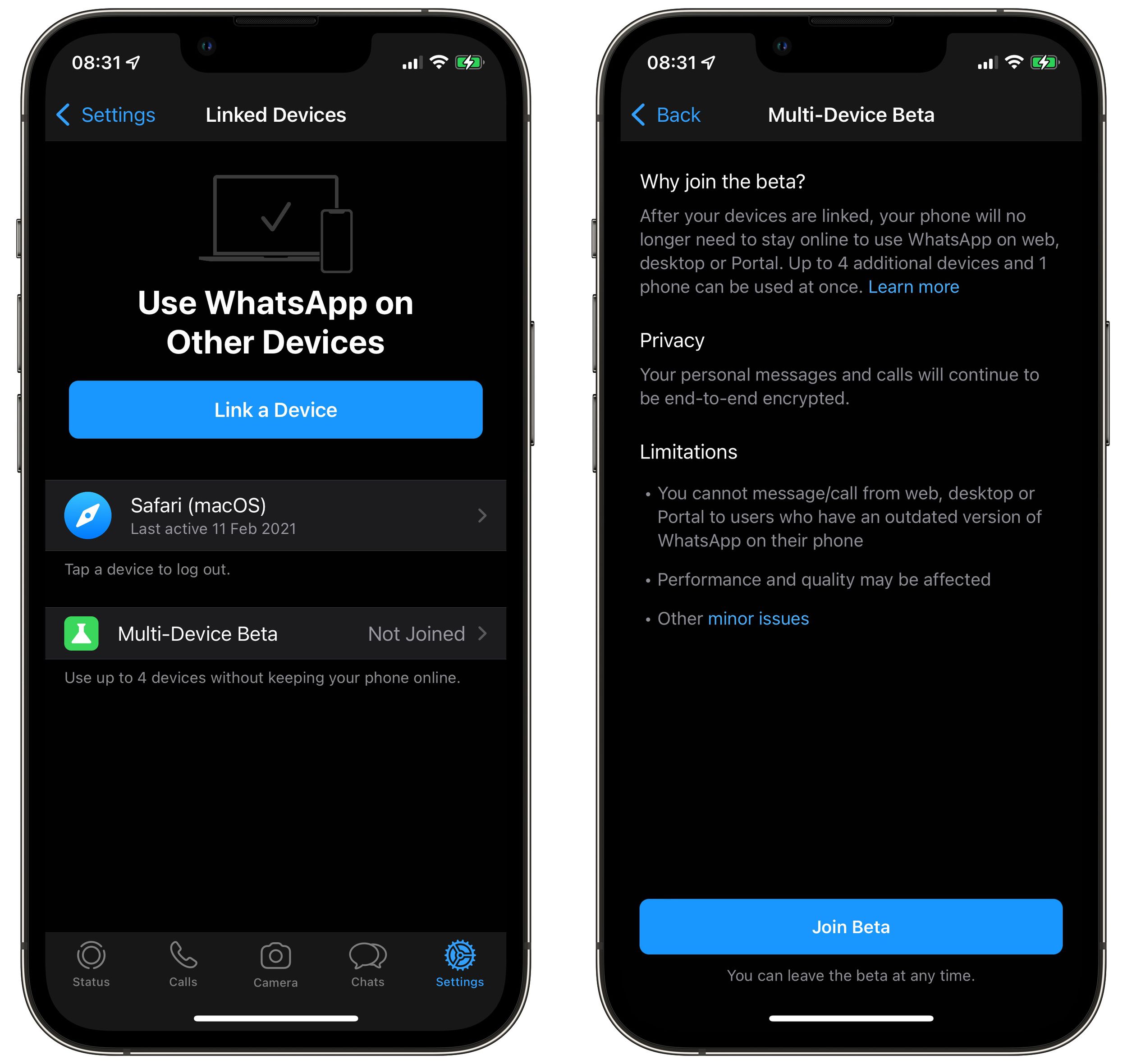
- On your iPad, open Safari or another web browser and go to web.whatsapp.com, then scan the QR code that appears using your iPhone.
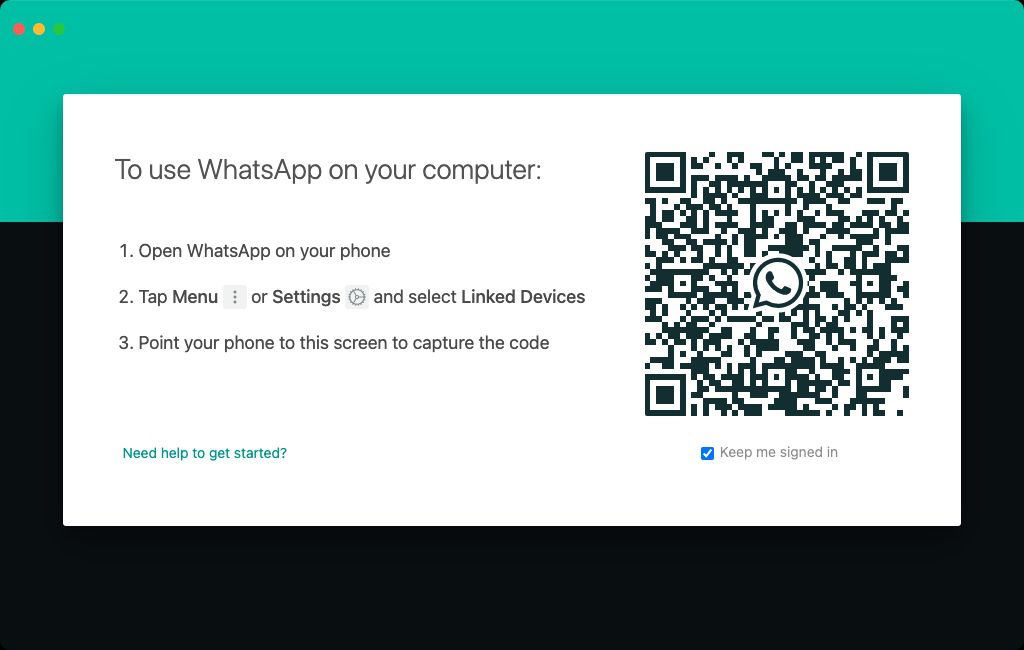
After following these steps your device will be linked to your WhatsApp account, and you'll be able to access WhatsApp on your iPad to send and receive messages and view chat threads, without needing to rely on your phone being connected to the internet.
Bear in mind that it's not currently possible to delete WhatsApp messages or conversation threads from your iPad. It's also worth noting that you won't get new message notifications on your iPad when you're not using the web app. On the plus side, personal calls and messages remain end-to-end encrypted across devices.
If you don't use your iPhone for over 14 days, your iPad will be disconnected. Lastly, given that the feature is still in beta, WhatsApp cautions that the performance and quality of its service may be affected, although happily, users can leave the beta at any time.
Popular Stories

WhatsApp Now Lets Anyone Join Calls, No Account Needed
WhatsApp Developing In-App Browser for All Chat Links on iPhone

