
Here's What's New With Visual Intelligence in iOS 26
Here's What's New With Visual Intelligence in iOS 26Friday June 13, 2025 4:45 PM PDT by Juli CloverVisual Intelligence, an Apple Intelligence feature that Apple introduced last year, has some new capabilities in iOS 26 that make i
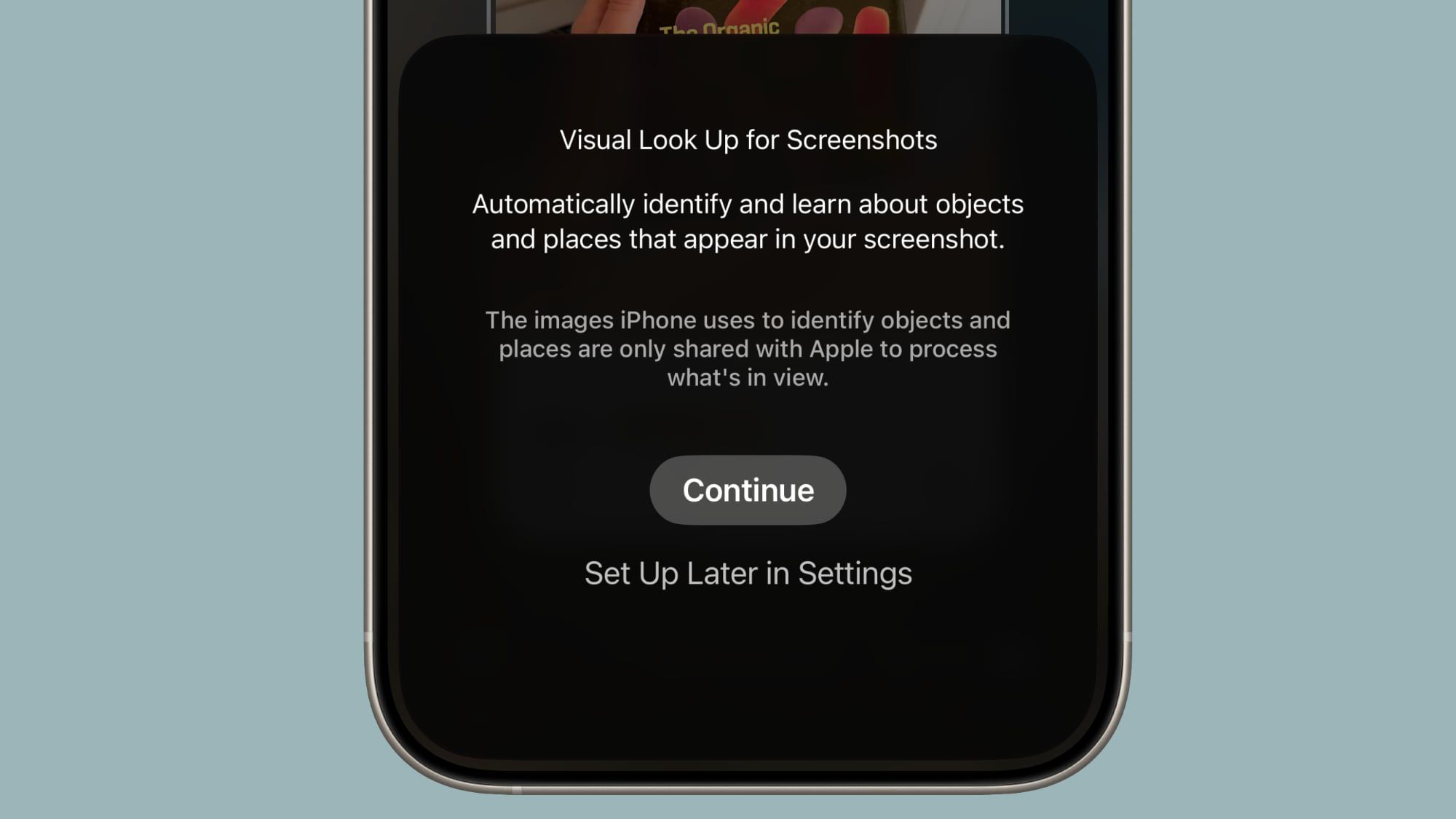
Table of Contents
- 1. Onscreen Awareness
- 2. How to Get Use Onscreen Awareness for Visual Intelligence
- 3. Highlight to Search
- 4. Ask and Search
- 5. New Object Identification
- 6. Compatibility
- 7. Launch Date
- 8. Popular Stories
- 9. Apple Now Pushing iPhone Users Still on iOS 26 to Install iOS 27
- 10. iOS 26.7.1 Fixes Vulnerability Used in Targeted Attacks
- 11. Apple Fixes Possibly Exploited CoreGraphics Flaw on Older iPhones
- 12. Next Article
Here's What's New With Visual Intelligence in iOS 26
Visual Intelligence, an Apple Intelligence feature that Apple introduced last year, has some new capabilities in iOS 26 that make it more useful and better able to compete with the functionality available through some Android smartphones.

Onscreen Awareness
In iOS 18, Visual Intelligence only works with the camera, but in iOS 26, it also works with what's on your device. You can capture a screenshot of what's on your screen and then use Visual Intelligence on it to identify what you're looking at, find images, and get more information through ChatGPT.
How to Get Use Onscreen Awareness for Visual Intelligence
Visual Intelligence for screenshots works about the same as Visual Intelligence with the camera app, but it's located in the screenshot interface. Take a screenshot (hold down the volume up button and the side button), and then tap out of the Markup interface if it's showing.
To get out of Markup (which is the default view), tap on the little pen icon at the top of the display. From there, you should see the Visual Intelligence options.
Highlight to Search
With Highlight to Search for Visual Intelligence onscreen content awareness, you can use a finger to draw over the object in the screenshot that you want to look up. It's similar to Android's Circle to Search feature.

Highlight to Search lets you conduct an image search for a specific object in a screenshot, even if there are multiple things in the picture. It uses Google Image search by default, but Apple showed off the feature working with other apps like Etsy during its keynote event. Apps will likely need to add support for the feature.
In some cases, Visual Intelligence will identify individual objects in an image on its own, and you can tap without needing to use Highlight to Search. This is similar to the object identification feature in the Photos app, but it still leads to an image search.
Ask and Search
If you don't need to isolate one object in your screenshot, you can simply tap on the Ask button to ask questions about what you're seeing. Questions will be relayed to ChatGPT, and ChatGPT will provide the information. The Search button queries Google Search for more information.
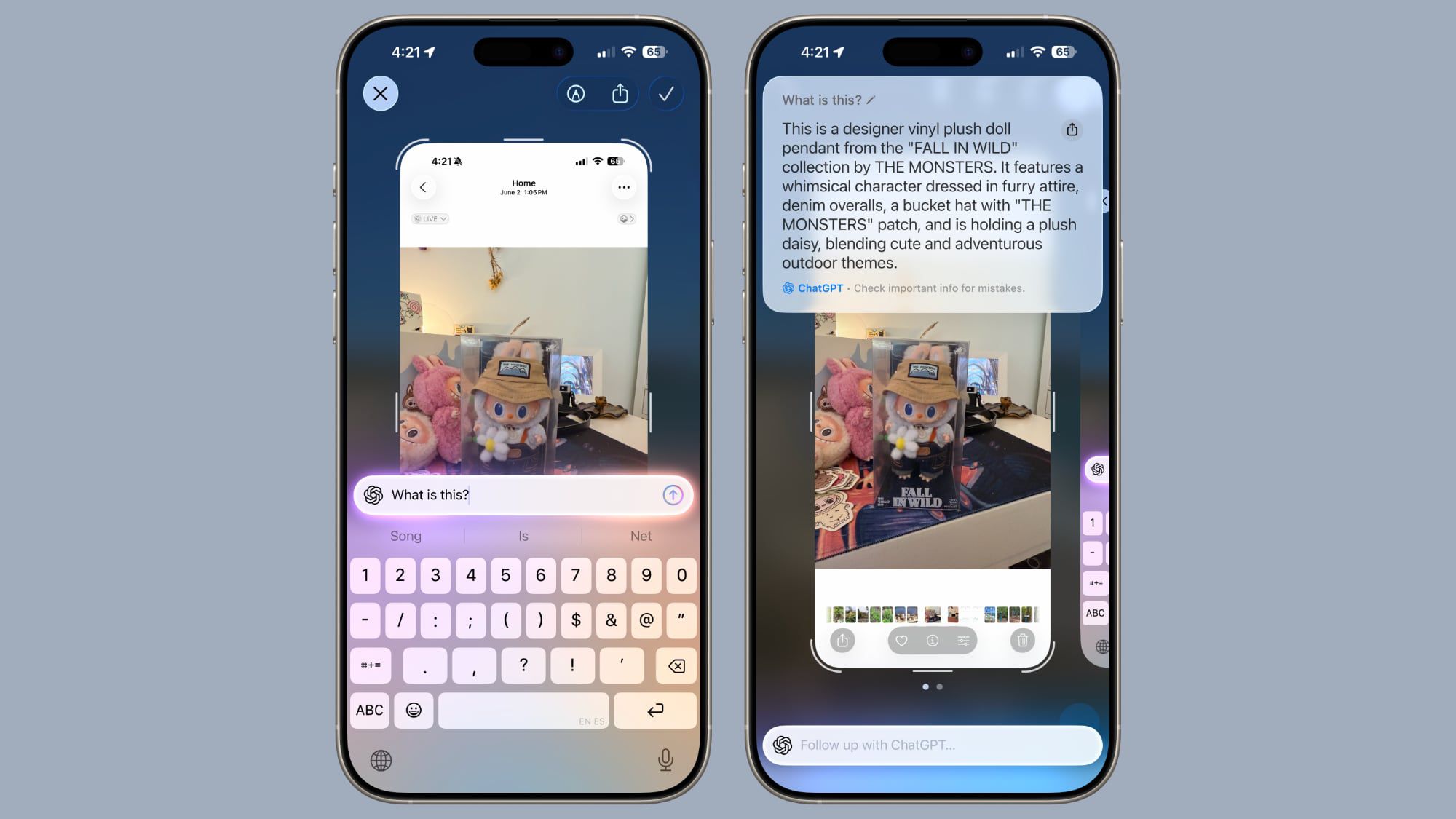
As with the standard Visual Search, if your screenshot includes dates, times, and related information for an event, it can be added directly to your calendar.
New Object Identification
Apple didn't mention it, but Visual Intelligence adds support for quick identification of new types of objects. It can now identify art, books, landmarks, natural landmarks, and sculptures, in addition to the animals and plants it was able to provide information on before.
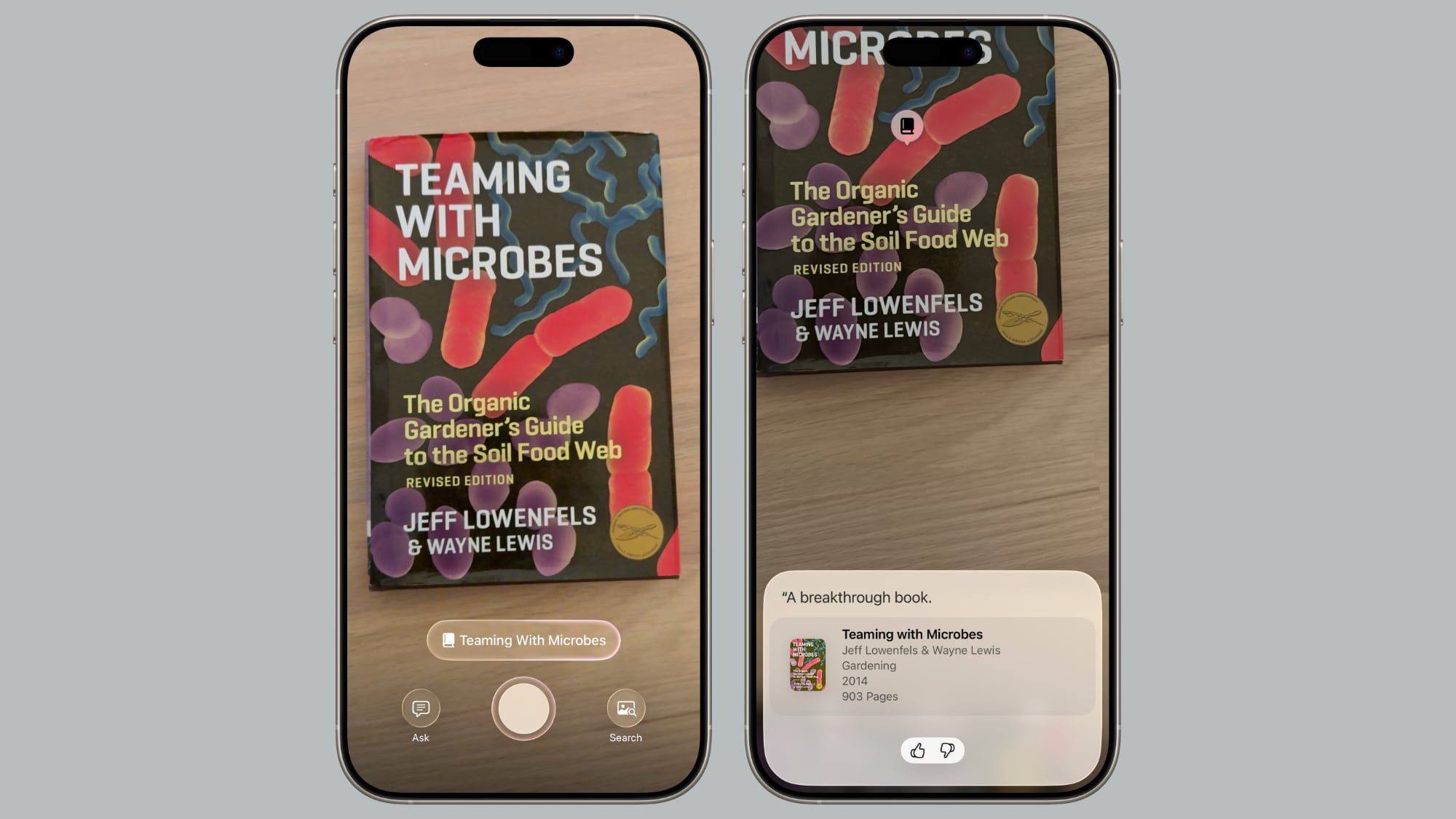
If you use Visual Intelligence on an object that it is able to recognize, you'll see a small glowing icon pop up. Tapping on it reveals information about what's in view. What's neat about this aspect of Visual Intelligence is that it works with the live camera view or with a snapped photo.
For standard Ask and Search requests using Visual Intelligence, you have to take a photo so that it can be relayed to sources like ChatGPT or Google Image Search. Art, books, landmarks, natural landmarks, sculptures, plants, and animals can be identified on-device without contacting another service.
Compatibility
Visual Intelligence is limited to devices that support Apple Intelligence, which includes the iPhone 15 Pro models and the iPhone 16 models. It is activated by a long press on the Camera Control button on devices that have Camera Control, or using the Action Button or a Control Center toggle.
Launch Date
iOS 26 is in beta testing right now, but it will launch to the public in September.
Popular Stories

Apple Now Pushing iPhone Users Still on iOS 26 to Install iOS 27

iOS 26.7.1 Fixes Vulnerability Used in Targeted Attacks

